The committee and the juristic manager see fees collected, units overdue and repairs outstanding every day, with no wait for the annual general meeting.
Back to AI App Development
Condo & estate management · 12 / 13
Resident app for juristic persons
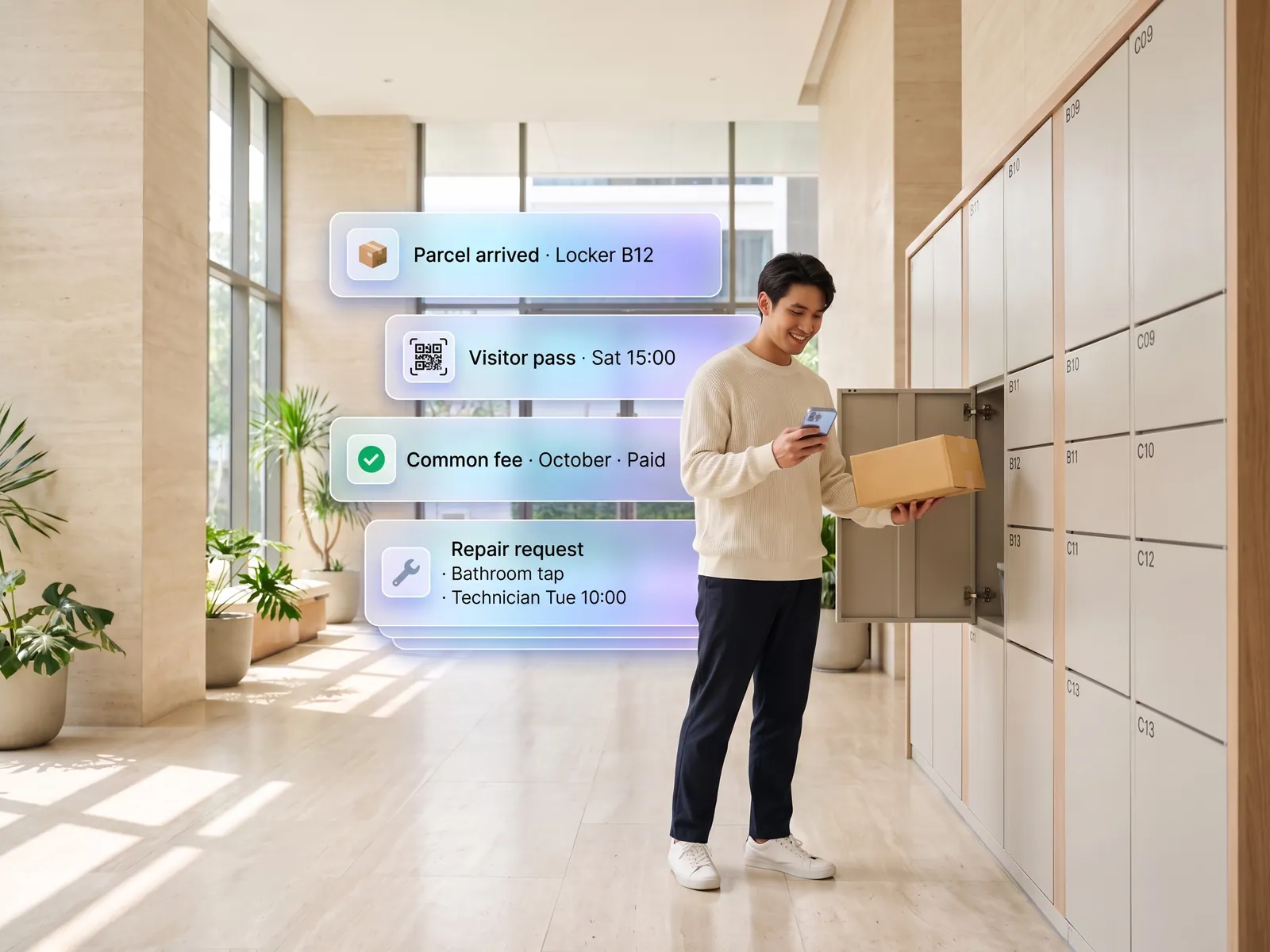
Residents pre-register visitors, get parcel notices, pay common fees and report repairs with photos in one app, and the juristic office stops chasing everything in the LINE group.
 Condo & estate management
 “Common fees are overdue on dozens of units and the office phones each one. Parcels pile up at the guardhouse until someone asks. Repair requests are buried in a LINE group of five hundred residents.”
The problem
A juristic office serves hundreds of units with a handful of tools: a LINE group, a notice board by the lift and a logbook at the guardhouse. A visitor swaps an ID card and waits while the guard phones the unit. Parcels pile up at the guardhouse until the resident wanders down to ask. Common-fee bills go out on paper tucked into door frames, and staff phone each overdue unit one by one. Repair requests, a leak, a corridor light out, sit among everything else in the LINE group, and nobody can say who reported what, when, or whether it was fixed.
Residents feel the office does nothing. The office feels it works all day and nobody sees it. And the committee has no figure for how much of the common fee has been collected until the annual general meeting.
How we solve it
We build a resident app that holds all of this in one place. A resident pre-registers a guest and sends them a QR code; the guard scans it, the gate or barrier opens, and the office has a record of who came in and when. When a parcel arrives, staff take one photo, the system reads the name and unit number from the label and notifies the resident at once. Common-fee bills appear in the app with a PromptPay QR; once paid, the receipt is issued and the amount posts to the juristic person’s accounts with nothing retyped.
For repairs, the resident photographs the problem and marks the location. The system sorts it as in-house or contractor work, sends it to the person responsible, and the resident watches the status from received to closed. Announcements and meeting resolutions reach every unit by push or LINE, filtered by building or floor. The committee opens a dashboard showing fees collected, units overdue and repairs open too long, any day.
Waiving a penalty, cutting off water and approving paid repair work stay with the juristic manager and the committee. The system reminds and prepares the paperwork; it makes no decision about money. Resident data and visitor logs are held to PDPA rules and visible only to staff with the right permission.
How it runs
Work comes in from
- Residents register guests and report repairs
- Parcels logged at the guardhouse
- Bills from the juristic accounts
- Notices from the juristic manager
What the AI does
- Issue the QR and open the gate for the guest
- Read name and unit from the parcel label
- Sort and route the repair
- Remind on bills and match payments
Where it lands
- Each unit’s resident app
- Guardhouse and gate system
- Technicians and contractors
- Committee dashboard
Before and after
Before
After
Visitors swap an ID card and wait while the guard phones upstairs
Guests scan the QR the resident sent, the gate opens, and there is a record
Paper bills in the door frame, and the office phones each overdue unit
Bills in the app, paid by PromptPay, with a reminder before the due date
Repairs reported in the LINE group, and nobody knows if they were done
Every repair has a status the resident can see until it closes
What you get
- 01
Visitor pre-registration: the resident sends a QR code to the guest, the guard scans it and the gate opens, with no ID card to swap
- 02
Parcel notices the moment the office logs a delivery, with a photo and pickup point, and a record of who collected it
- 03
Common-fee and water bills in the app, paid by PromptPay or card, receipt issued automatically, with a reminder before the due date
- 04
Repair requests with photo and location, sorted and sent to the in-house technician or the contractor, with status visible to the resident until the job closes
- 05
Announcements, meeting resolutions and facility booking sent by push or LINE instead of the resident LINE group
Who gets what
Connected to the juristic accounting system and the gate hardware through their APIs or the manufacturer’s supported connectors, with existing equipment kept. Visitor logs are encrypted and deleted automatically after the agreed retention period under PDPA.
Office staff stop phoning about common fees and stop answering “is there a parcel for me” in the LINE group. Residents do all of it from their phone.
Who this fits
CondominiumsHousing estatesProperty management firms with several sitesOffice buildings for leaseApartments & dormitories
Connects with what you already run
Juristic accounting systemPromptPayLINE OAGate and intercom systemsCar park barriersGoogle Sheets
Development process
- 1
Discover
Requirements, users and success metrics, with scope and price fixed before we start.
- 2
Design
UX and system architecture; the prototype is approved before anything is built.
- 3
Build
AI-accelerated sprints with a demo every week, reviewed by senior engineers.
- 4
Test
QA, security and performance verified against the agreed scope.
- 5
Launch & care
Production deploy, team training, and a monthly care plan.

Turn your business problem into a system that works for you
Tell us today — get an executive-ready proposal with the plan and budget.
Talk to an engineer about thisMore solutions in AI App Development
See the whole service Brands & retailers Customer app Shops with regulars Loyalty and membership app Appointment businesses Booking and queue app Field crews & couriers Field service and delivery app Management & HR Internal operations app Brands with a LINE OA LINE Mini App (LIFF) Businesses that must know their customer e-KYC and digital ID verification Schools & institutes School management system Tutoring schools & exam bodies Online testing platform Restaurants & cafés Restaurant POS and ordering Hotels & resorts Guest app and hotel booking Clinics & hospitals Patient app and appointments