See when the diary fills, who has gaps and how many no-shows there were this week, the numbers behind shift planning and hiring.
Back to AI App Development
Appointment businesses · 03 / 13
Booking and queue app
Customers book, move and cancel in the app, the system reminds them and fills cancelled slots from the waiting list, and the front-desk phone goes quiet.
 Appointment businesses
 “The phone rings all day with bookings. Front-desk staff drop the customer in front of them to answer it, and people still forget their appointments.”
The problem
Almost every service business takes bookings by phone and a diary, or a diary that has moved into Google Sheets. The person at the front desk is the only one who knows what is free, so every call has to go through them. The customer at the counter waits, the customer on the line waits, and after hanging up the booking still has to be written down. Written in the wrong column, it becomes a double booking.
A customer who forgets is a slot wasted, because nobody knows they are not coming until the time has passed, and the person who wanted that slot has no way to know it was free. Reminder calls happen only in shops where staff have spare time, which is almost none.
How we solve it
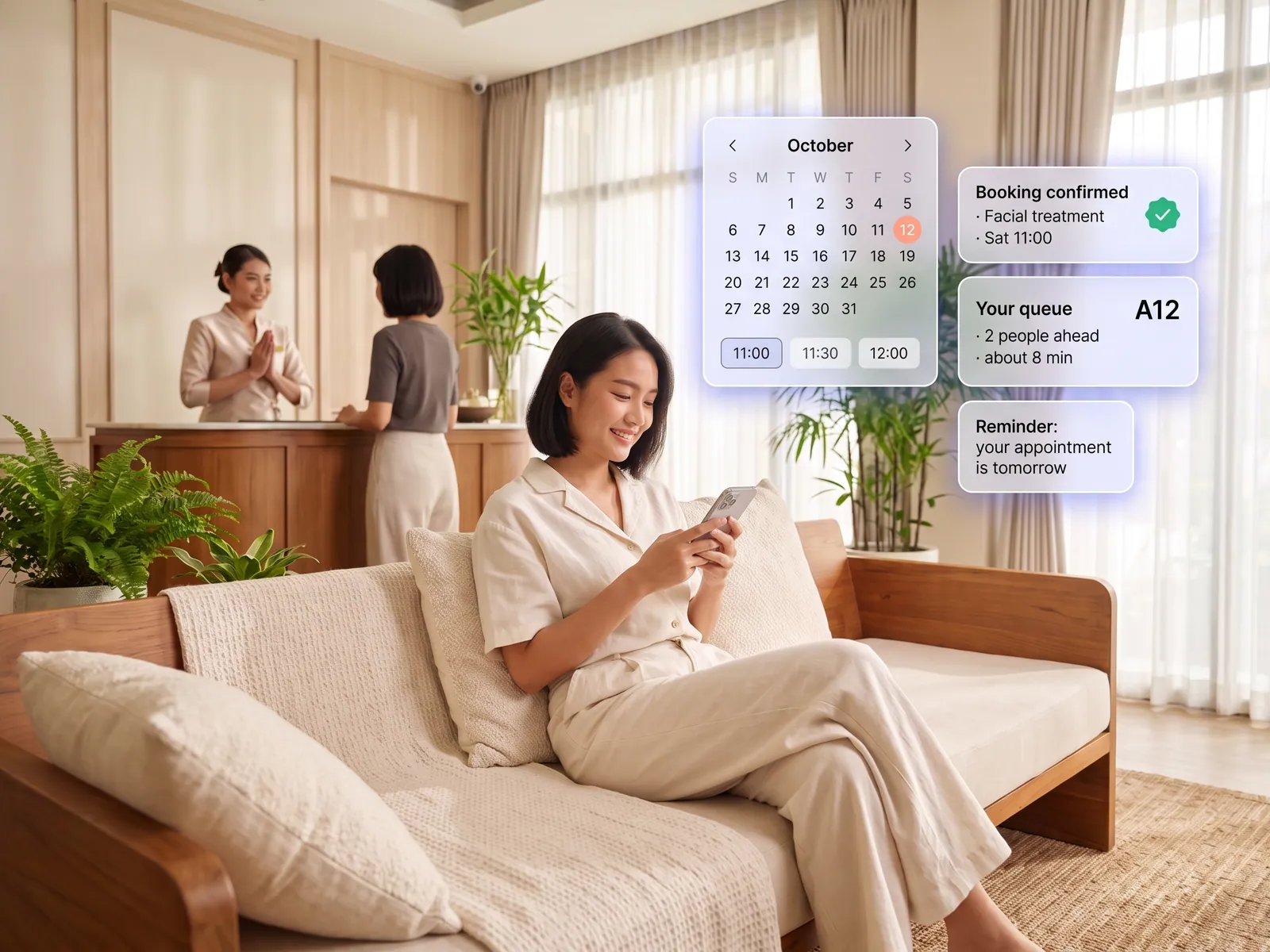
We build an app that puts the diary in the customer’s hands. They see the real free times of the staff member or room they want, book on the spot, and if you take deposits they pay by PromptPay or card in the same step. The booking goes straight into the shop’s diary, the same one every branch sees.
Before the appointment, the system sends a reminder with confirm and reschedule buttons. If the customer cancels, it offers the slot to the waiting list in order, and when the customer checks in from the app it tells the staff member they have arrived. The staff screen shows the name, last service and any notes from previous visits, so the greeting is right from the moment they walk in.
Deposit refunds and moves that affect other customers still need a member of staff to confirm. The system prepares everything, and no money moves until a person approves. If a staff member calls in sick, the manager closes their diary in the app, and the system contacts everyone booked with them to choose a new time.
How it runs
Work comes in from
- Customer books in the app
- Booking through LINE OA
- Front desk books on their behalf
- Deposit by PromptPay
What the AI does
- Check each person’s real availability
- Confirm and collect the deposit
- Remind before the appointment
- Fill cancellations from the waiting list
Where it lands
- The shop diary, every branch
- Push and LINE to the customer
- Front-desk staff screen
- Weekly report to the owner
Before and after
Before
After
Staff leave the customer in front of them to take a booking call
Customers book themselves, and staff stay with the person in front of them
A customer forgets, and the slot sits empty with no warning
A reminder goes out, and cancellations are refilled from the waiting list
The diary lives at one branch, and the others phone to ask
One diary, open to every branch
What you get
- 01
An app showing the real availability of each staff member or room, where customers pick a time, book, move or cancel at any hour
- 02
A reminder before the appointment by push or LINE, with a confirm or reschedule button, one tap and done
- 03
Cancelled slots offered automatically to the waiting list, in the order you set
- 04
A staff screen with today’s queue, each customer’s history and past services, and any deposit already paid
- 05
A weekly report to the owner: when the diary fills up, who has gaps, and how many people did not turn up
Who gets what
Syncs with Google Calendar or your existing queue system through its API. Deposits go through a certified payment gateway, so no card numbers pass through us, and customer history is held to PDPA rules with a log of who viewed it.
Front-desk staff stop writing bookings down from the phone, and see the customer’s name and history before they reach the door.
Who this fits
Aesthetic clinics & spasHair & nail salonsCar service centresGyms & yoga studiosVets & pet groomingSports courts & venues
Connects with what you already run
LINE OAGoogle CalendarOmisePromptPayExisting POSGoogle Sheets
Development process
- 1
Discover
Requirements, users and success metrics, with scope and price fixed before we start.
- 2
Design
UX and system architecture; the prototype is approved before anything is built.
- 3
Build
AI-accelerated sprints with a demo every week, reviewed by senior engineers.
- 4
Test
QA, security and performance verified against the agreed scope.
- 5
Launch & care
Production deploy, team training, and a monthly care plan.

Turn your business problem into a system that works for you
Tell us today — get an executive-ready proposal with the plan and budget.
Talk to an engineer about thisMore solutions in AI App Development
See the whole service Brands & retailers Customer app Shops with regulars Loyalty and membership app Field crews & couriers Field service and delivery app Management & HR Internal operations app Brands with a LINE OA LINE Mini App (LIFF) Businesses that must know their customer e-KYC and digital ID verification Schools & institutes School management system Tutoring schools & exam bodies Online testing platform Restaurants & cafés Restaurant POS and ordering Hotels & resorts Guest app and hotel booking Condo & estate management Resident app for juristic persons Clinics & hospitals Patient app and appointments