See what each department has claimed this month and whose desk each request is on, without waiting for accounts to close the period.
Back to AI App Development
Management & HR · 05 / 13
Internal operations app
Leave, expense claims and approvals move off paper and Excel into one app, submitted, approved and tracked from a phone.
 Management & HR
 “Requisitions, leave forms and reports still live on paper and in Excel, passed hand to hand. Checking a status means walking over to ask.”
The problem
In most companies, internal requests still travel on paper. A leave form is printed, signed and left on the manager’s desk; if the manager is away, it waits. An expense claim has the receipts stapled to the corner and goes to accounts, where someone types it into Excel and then comes back to ask because the handwriting is unreadable. At every step someone is holding the request, and nobody knows where it has stalled.
Staff check on a request by walking over to ask. HR answers the same question about remaining leave and benefits several times a day. And management has no idea how much expense the company approved this month until accounts close the period.
How we solve it
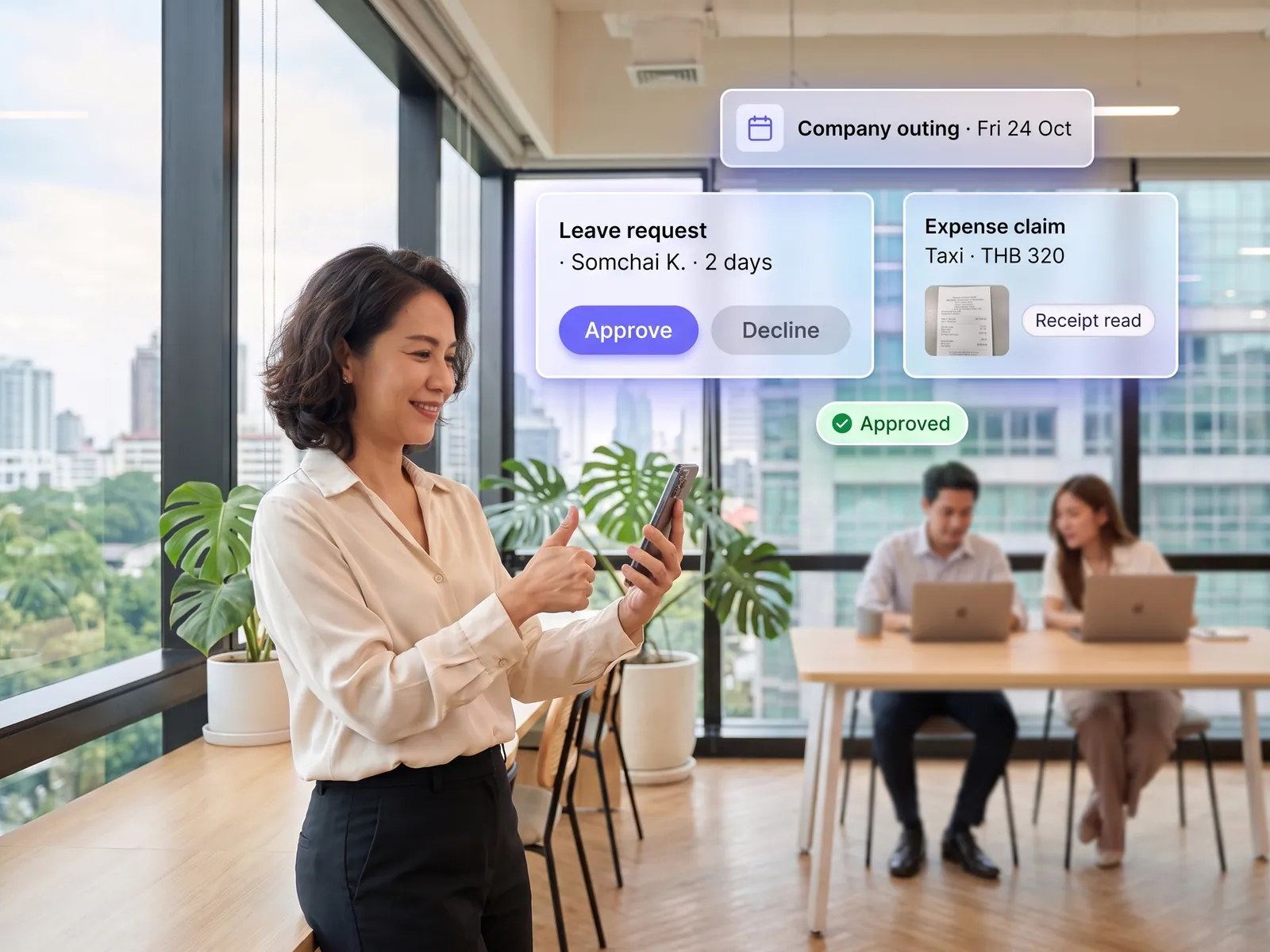
We build one app that holds all of it. A staff member submits leave or a claim from their phone and photographs the receipt. The system reads the amount, date and vendor from the photo and fills the form in. The request goes to the right approver according to the chart you define, the manager gets a message in LINE and approves from there, and the staff member sees in the app where it has got to.
The in-app assistant answers questions about remaining leave, claim entitlements and policy by reading the staff handbook and the record of the person asking, so HR stops repeating itself. Approved items flow into the payroll and accounting systems you already run with nothing retyped, and management opens a dashboard to see what each department has claimed.
Every approval stays with a person. The system routes, reminds and prepares, and no money moves and no leave is deducted until the manager taps approve. If a request sits past the agreed time, the system nudges the approver again and notifies the stand-in you named.
How it runs
Work comes in from
- Leave and claims from a phone
- Receipt photos
- Benefits questions
- The company’s approval chart
What the AI does
- Read the receipt and fill in the amount
- Route to the right approver
- Chase requests that stall
- Answer from the staff handbook
Where it lands
- Manager approves in LINE
- Payroll and accounting systems
- Status in the staff member’s app
- Management expense dashboard
Before and after
Before
After
A leave form waits on the desk of a manager who is away, and nobody knows it is stuck
Managers approve in LINE from anywhere, with a nudge when something stalls
Accounts type receipts from paper, then ask again because the handwriting is unreadable
The system reads the receipt and fills the form; accounts only check
HR answers the remaining-leave question several times a day
Staff ask the in-app assistant and get the answer from the real handbook
What you get
- 01
An app where staff submit leave, requisitions, expense claims and other requests from a phone, with a photo of the receipt attached
- 02
Approval chains that follow your org chart, with managers approving in LINE or in the app and everyone able to see whose desk a request is sitting on
- 03
The system reads the attached receipt, fills in amount and category, and flags anything over the limit or already claimed
- 04
Announcements, handbooks and company forms in one place, with an assistant that answers benefits and policy questions from the actual documents
- 05
A back office for HR and accounts that passes approved items to the payroll and accounting systems you already run, with nothing retyped
Who gets what
Single sign-on through Microsoft 365 or Google Workspace, permissions from your existing org chart, HR and accounting connected through their APIs, an audit log on every approval, and on-premise deployment if you want it.
Staff submit from a phone and know where the request is without walking over to HR, and accounts stop retyping.
Who this fits
Companies with staff across branchesFactories & warehousesConstruction & contractorsHospital & clinic groupsOrganisations on Microsoft 365 or Google Workspace
Connects with what you already run
Microsoft 365Google WorkspaceLINE OAExisting HR systemPEAKSAP B1
Development process
- 1
Discover
Requirements, users and success metrics, with scope and price fixed before we start.
- 2
Design
UX and system architecture; the prototype is approved before anything is built.
- 3
Build
AI-accelerated sprints with a demo every week, reviewed by senior engineers.
- 4
Test
QA, security and performance verified against the agreed scope.
- 5
Launch & care
Production deploy, team training, and a monthly care plan.

Turn your business problem into a system that works for you
Tell us today — get an executive-ready proposal with the plan and budget.
Talk to an engineer about thisMore solutions in AI App Development
See the whole service Brands & retailers Customer app Shops with regulars Loyalty and membership app Appointment businesses Booking and queue app Field crews & couriers Field service and delivery app Brands with a LINE OA LINE Mini App (LIFF) Businesses that must know their customer e-KYC and digital ID verification Schools & institutes School management system Tutoring schools & exam bodies Online testing platform Restaurants & cafés Restaurant POS and ordering Hotels & resorts Guest app and hotel booking Condo & estate management Resident app for juristic persons Clinics & hospitals Patient app and appointments