Know each morning what yesterday took, which dish actually earns after commission, and which branch has unusually high ingredient cost.
Back to AI App Development
Restaurants & cafés · 10 / 13
Restaurant POS and ordering
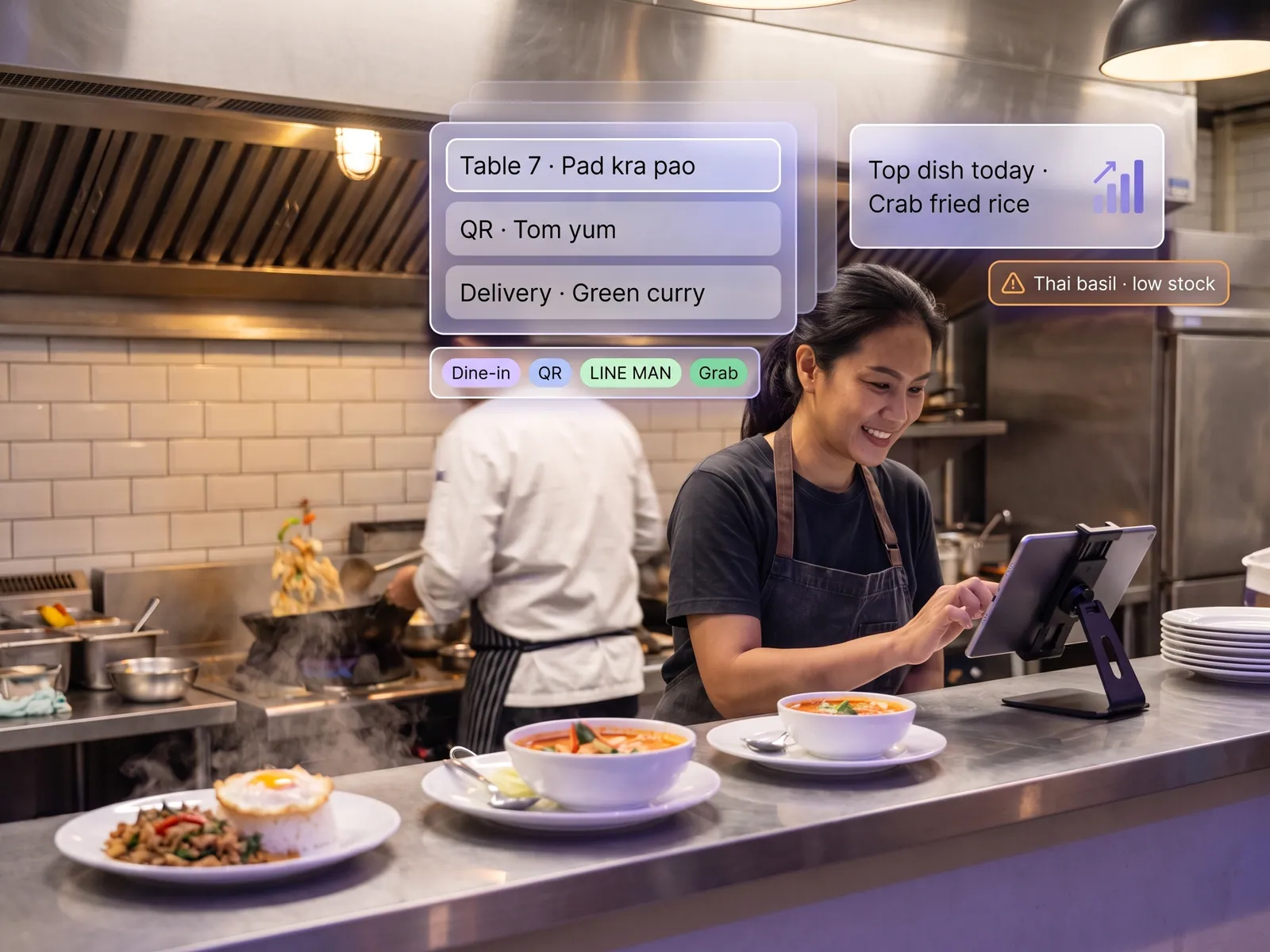
Counter orders, QR orders from the table and every delivery app on one screen, a kitchen that sees the real queue, and an owner who knows each day which dish makes money.
 Restaurants & cafés
 “The counter runs one POS, delivery runs three more apps. Closing means adding up four totals, and we still don’t know which dish makes money.”
The problem
A restaurant today sells through several channels at once: the counter, phone orders and a handful of delivery apps, each with its own tablet lined up by the pass. At noon the orders arrive together, and staff read from several screens and shout them to the kitchen. At closing the owner adds up the totals from every channel in Excel and works out the commission each app charges, since none of them charge the same.
What comes out is a total. Nobody knows what the best-selling dish actually earns after ingredients and commission, and an ingredient that runs out at lunch is discovered when the kitchen says it cannot make the dish any more.
How we solve it
We build a POS where every order reaches one screen. The counter rings it up, a customer at the table scans the QR and orders and pays themselves, and orders from LINE MAN, Grab and foodpanda arrive through each platform’s API into the same queue. The kitchen sees the queue in time order on its own screen, taps to accept and to finish, and the system tells the rider or the server.
Every dish sold deducts ingredients according to the recipe you set, so the system can say what each dish actually earns after ingredient cost and that channel’s commission. The owner gets a report in LINE each morning: yesterday’s sales, the dishes that earned most, the busy hours, and the ingredients likely to run out before the weekend, with a purchase order already drafted for the manager to confirm.
Cancelling a paid order, a discount outside the set ones and ordering ingredients all need the manager’s approval. If the internet goes down, the counter POS keeps taking orders and printing receipts, and syncs when it comes back.
How it runs
Work comes in from
- Counter and table-QR orders
- LINE MAN, Grab and foodpanda
- Recipes and ingredient costs
- Payments from every channel
What the AI does
- Merge every order into one queue
- Deduct stock per dish by recipe
- Work out profit per dish after commission
- Draft the ingredient purchase order
Where it lands
- Kitchen screen
- Morning report to the owner in LINE
- Accounting system
- Manager confirms the purchase
Before and after
Before
After
Several delivery tablets lined up by the pass, read aloud by staff
Every order in one queue on the kitchen screen
Totals from every channel added up in Excel at closing, commission worked out by hand
Sales and profit per dish in LINE each morning, posted to accounting by itself
An ingredient runs out when the kitchen says it cannot make the dish
A warning before an ingredient runs out, with the purchase order drafted
What you get
- 01
A POS that takes counter orders, QR orders from the table and delivery-app orders on one screen
- 02
A kitchen queue in real time, with ingredient stock deducted per dish sold
- 03
Daily sales, profit per dish and peak hours sent to the owner
- 04
An alert when an ingredient is about to run out based on last week’s sales, with a purchase order drafted for the manager to confirm
- 05
Sales from every channel posted to the accounting system by itself, with each delivery app’s commission separated out
Who gets what
Delivery apps connected through each platform’s official API, your existing printers and cash drawer kept, offline operation at the counter, and sales posted to accounting with nothing retyped.
Counter staff stop reading from several screens, the kitchen sees the real queue on one, and the manager stops adding up totals at closing.
Who this fits
Multi-branch restaurantsCafés & bakeriesShabu & grill restaurantsCentral kitchens & cloud kitchensFood courts
Connects with what you already run
LINE MANGrabfoodpandaReceipt printersPromptPayPEAKFlowAccount
Development process
- 1
Discover
Requirements, users and success metrics, with scope and price fixed before we start.
- 2
Design
UX and system architecture; the prototype is approved before anything is built.
- 3
Build
AI-accelerated sprints with a demo every week, reviewed by senior engineers.
- 4
Test
QA, security and performance verified against the agreed scope.
- 5
Launch & care
Production deploy, team training, and a monthly care plan.

Turn your business problem into a system that works for you
Tell us today — get an executive-ready proposal with the plan and budget.
Talk to an engineer about thisMore solutions in AI App Development
See the whole service Brands & retailers Customer app Shops with regulars Loyalty and membership app Appointment businesses Booking and queue app Field crews & couriers Field service and delivery app Management & HR Internal operations app Brands with a LINE OA LINE Mini App (LIFF) Businesses that must know their customer e-KYC and digital ID verification Schools & institutes School management system Tutoring schools & exam bodies Online testing platform Hotels & resorts Guest app and hotel booking Condo & estate management Resident app for juristic persons Clinics & hospitals Patient app and appointments