

- A new app that isn't connected to the accounting and stock systems makes staff key in data in two places, and the numbers on each side start to drift apart.
- Before connecting, you have to agree which system is the master for each kind of data, and what happens when a transfer fails.
- Build the report that reconciles the two systems before you build the connector. You will spot problems within a day instead of waiting until the books close.
Most problems happen at the seams between systems
A familiar picture: a salesperson takes an order in the new app, then accounting keys the same order into the accounting program all over again. The company now has two sets of numbers that should be equal, with nothing forcing them to be. Every time someone re-keys data, the two sets get another chance to drift a little further apart.
The symptoms tend to surface slowly. An order slips through the cracks on a busy day. The price in the app is still last month's because someone changed it only in the ERP. The stock the app shows lags half a day behind the real warehouse. By month end, accounting spends several days tracing which documents the differences came from.

This is work that vibe coding helps with very little. AI writes code that calls an API very quickly when the API has good documentation, but most of the knowledge that integration work depends on has never been written down. Sales and the warehouse use different sets of product codes. A single customer has three codes because they were once billed from three branches. Accounting has been using the remarks field to store customers' purchase order numbers for ten years. Knowledge like this lives in people's heads and in old data, and someone has to sit down, ask questions and open up the data to find it.
Four questions to answer before building the connector
Connecting systems is like having two departments share one ledger. Before you start, you need to agree who writes in it, who only reads it, when entries are made and who fixes the mistakes. These four questions have to be answered by the business side; the technical team cannot answer them on its behalf.
Which system is the master for each kind of data?
Every kind of data should have one system that holds the real version, called the Source of Truth. For example, selling prices follow the ERP, stock quantities follow the warehouse system, and customer contact details follow the app. Other systems can read the data but must not change it. If it can be edited in two places, nobody can say which number is right.
When is data sent, and in which direction?
Some data has to arrive almost instantly, such as stock levels for fast-moving products. Some can go in a nightly batch, such as sales posted to the accounts. The more often you send, the more complex and expensive the system becomes, so choose the frequency based on the damage that late data would do.
What happens if a transfer fails?
Networks dropping mid-transfer is perfectly normal, so the sending system must be able to resend, and a resend must never create a second document. This property is called Idempotency. Items that fail several times must end up somewhere people can see them, with a named person responsible for dealing with them.
Who reconciles the totals, and when?
A connector that works correctly today may go wrong on the day someone adds a new type of discount. Comparing the totals in the two systems every day, called Reconciliation, is therefore part of the system and should be in place from the first day it goes live.
| Connection method | Suits situations where | Watch out for |
|---|---|---|
| Calling the target system's API | The system has an API and the vendor supports using it. | Limits on the number of calls per day, and license fees for the API module. |
| Scheduled import and export files | The legacy system has no API but can import files. | Data is only as fresh as the last batch, and you need a way to handle files that fail to import. |
| Reading the legacy system's database directly | There is no other way and the system's vendor agrees. | Writing to it directly risks corrupting data and may breach the terms of service, so limit it to reading. |
| Having a program click through the screens in place of a person | The system is closed off in every other way and volumes are low. | It stops working whenever the legacy system's screens change. |
For the development team · Technical detail
Use an Idempotency Key per document. Send through an outbox and a Message Queue, with retries using backoff and a dead-letter queue that has a screen where people can deal with stuck items. Keep the product code and customer code mapping tables in the middle layer. Validate the schema of incoming data, monitor queue latency and error rates, and run Contract Tests against the vendor's API to catch changes before they reach Production.
Hypothetical case
A building materials distributor and the cement that was delivered twice
A building materials distributor built an app so that the retail stores it supplies could place orders themselves. The app sent orders into the ERP through an API. On a day of heavy rain, the warehouse's internet connection kept dropping. The app sent an order, waited for a reply until it timed out, and then resent it, as it had been set up to do. The ERP received the same order twice and issued two picking slips, so a cement truck turned up at the same store twice. The company found out when the store owner called to refuse the second delivery.
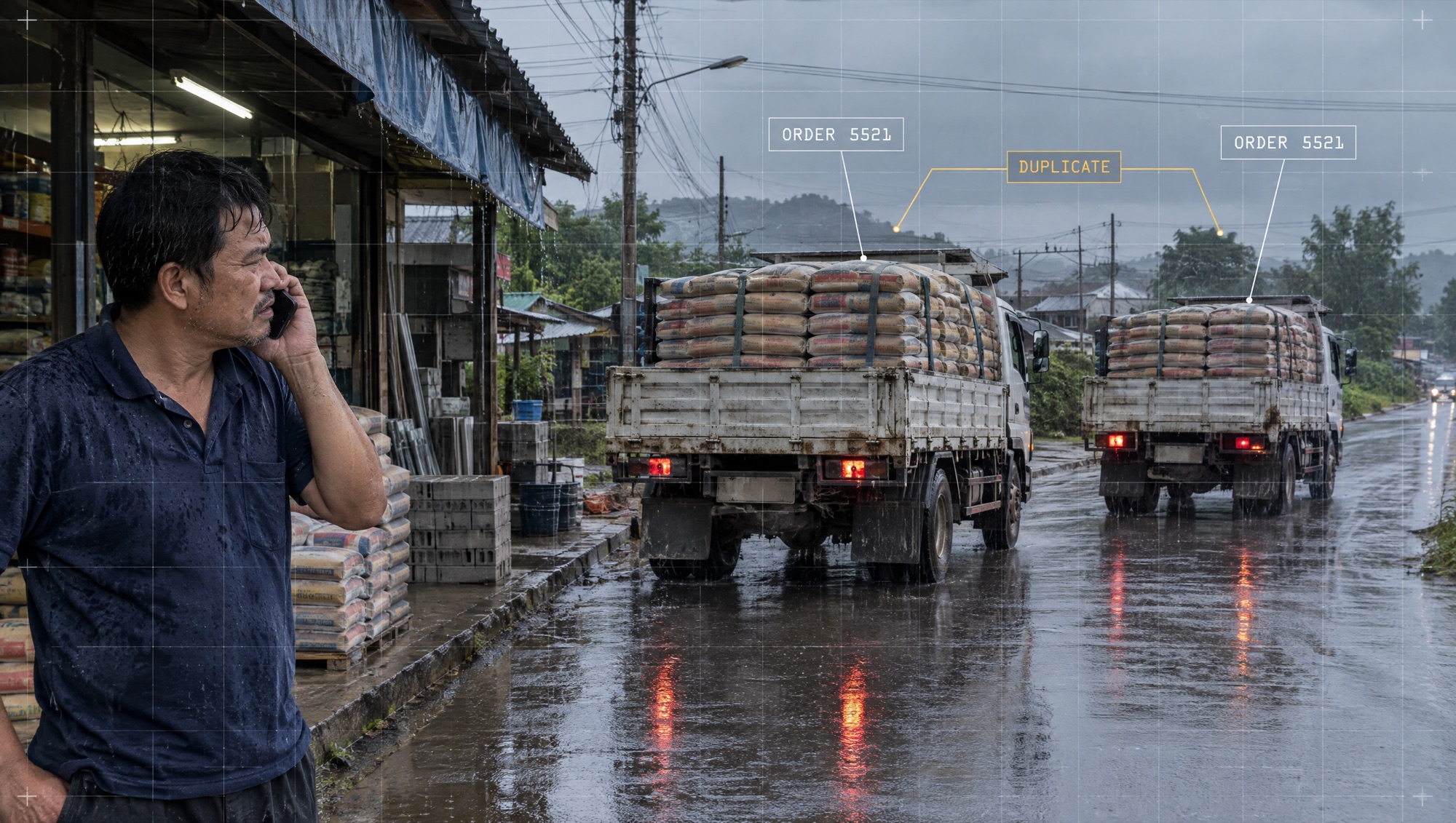
The team fixed two things. First, the app now attaches the original reference code every time it resends, and the receiving side checks this code before creating a document. Second, a reconciliation report runs every morning and compares the previous day's number of orders and order value between the app and the ERP. The following week, this report caught a different kind of problem: orders that had been cancelled in the app but were still open in the ERP, something nobody had known was happening.
Reconcile before you connect
- Choose one type of document that will flow between the systems, such as sales orders.
- Define the numbers both sides must agree on every day, such as the number of documents, the total value and the quantity per product code.
- Build a report that pulls the numbers from both systems and puts them side by side, testing it on last month's manually keyed data.
- Go through each difference the report catches, one at a time. Each one is a rule the connector has to handle.
- Once the connector is live, run the report every morning and name the person who must close the differences that same day.
The evidence to keep is the number of differences each day and the time taken to close each one. This method stumbles when the two systems define the same word differently, for example when one side's sales figure includes tax and the other side's doesn't. In that case, accounting has to settle the definition first.
Migrating old data is usually the most underestimated part
When a new system has to start out with the customer data, products and outstanding balances from the old one, data migration takes longer than anyone expects, because old data is full of duplicates, gaps and formats that changed with whoever was keying it in at the time.
The safe sequence has four steps. First, clean the data: merge duplicates and fill in the required fields. Second, write a mapping table showing which field in the old system goes into which field in the new one, known as Data Mapping. Third, do a trial migration and have the data owners check samples. Finally, run the two systems in parallel for a period before cutting over to the new one, with a plan for rolling back in case cutover day goes wrong.

Hold off on investing in integration if any one of these applies
- Document volumes are so low that keying them in by hand once a week costs less than building and maintaining a connector.
- The target system will be replaced within a year.
- There is no data owner yet who can decide when the two systems disagree.
- The legacy system's vendor doesn't allow or support connections.
To measure results, look at the numbers accounting and operations can feel: the hours of double keying that have disappeared, the number of differences per day, the time taken to close them, and the number of days it takes to close the books at month end. If the differences haven't come down after two full weeks of running in parallel, postpone the cutover and go back to see which rule still isn't being handled.
Getting the new app and the legacy system to report the same numbers
Your accounting team owns the chart of accounts and the posting rules. Your warehouse team owns the product codes and the way stock is counted. Your ERP vendor knows the limits of its own system. DNA Maker sits down with all three groups and traces one document from start to finish, then draws it up as a map of the seams: which field goes into which field, which system is the master for each kind of data, how much is sent per batch, and who has to do what when a transfer fails.
From that map we build an integration layer with a queue, resends that never create duplicate documents, code mapping tables and a daily reconciliation report, along with a dashboard where accounting can see items that are stuck. The work starts with a single document type and runs alongside manual keying until the differences stay at zero, then we cut over to the new system and move on to the next document type. If there is one type of document your team re-keys more than any other, bring ten samples of it from both systems and talk it through with us.
SOFTWARE ENGINEERING GLOSSARY
Software engineering glossary
Use these terms when talking with the development team and the legacy system's vendor while planning an integration. The questions in the right-hand column show who owns each step.
| Term | What it is | A simple example | What executives should ask the development team |
|---|---|---|---|
| Reconciliation | Comparing the numbers in two systems to see whether they match, and tracing the cause of any that don't. | Every morning a report compares the previous day's number of orders and order value between the app and the ERP. | Who closes the differences, and within how many hours? |
| Data Migration | Moving data from the old system into the new one, including cleaning it beforehand and checking it afterwards. | Moving eight thousand customer records into the new system after merging the duplicates. | After the migration, how do we check that the data is complete and that outstanding balances match the old system? |
| Data Mapping | A table showing which field in one system corresponds to which field in another. | The sales team's product codes are matched to the warehouse's product codes one by one. | Who owns this table, and who adds to it when new products come in? |
| Middleware | Software in the middle that takes data from one system, converts its format and passes it on to another. | The middleware receives orders from the app, converts the product codes and sends them into the ERP. | If the middleware stops, where do the pending items go, and who gets notified? |
| Message Queue | A holding area for data between two systems. Items wait in the queue to be sent and are not lost even if the destination is down for a while. | The ERP is down for an hour of maintenance, orders wait in the queue, and they flow in once it is back. | How long can the queue get before the business suffers, and how would we know? |
| Parallel Run | Running the old and new systems side by side for a period to compare results before retiring the old one. | Accounting keeps keying by hand for another two weeks while the connector runs, and compares the totals every day. | What criteria tell us we can stop running in parallel, and who decides? |
| Cutover | The moment you actually switch from the old system to the new one. | On Saturday night, orders are paused for two hours, outstanding balances are moved across, and the new system opens on Sunday morning. | If cutover night goes wrong, up to what time can we roll back, and who gives the order? |