New accounts open without waiting for someone to look at photos. You see where cases are stuck and where applicants drop out, and you know customers’ ID copies are in one place, with a record of everyone who opened them.
Back to AI App Development
Businesses that must know their customer · 07 / 13
e-KYC and digital ID verification
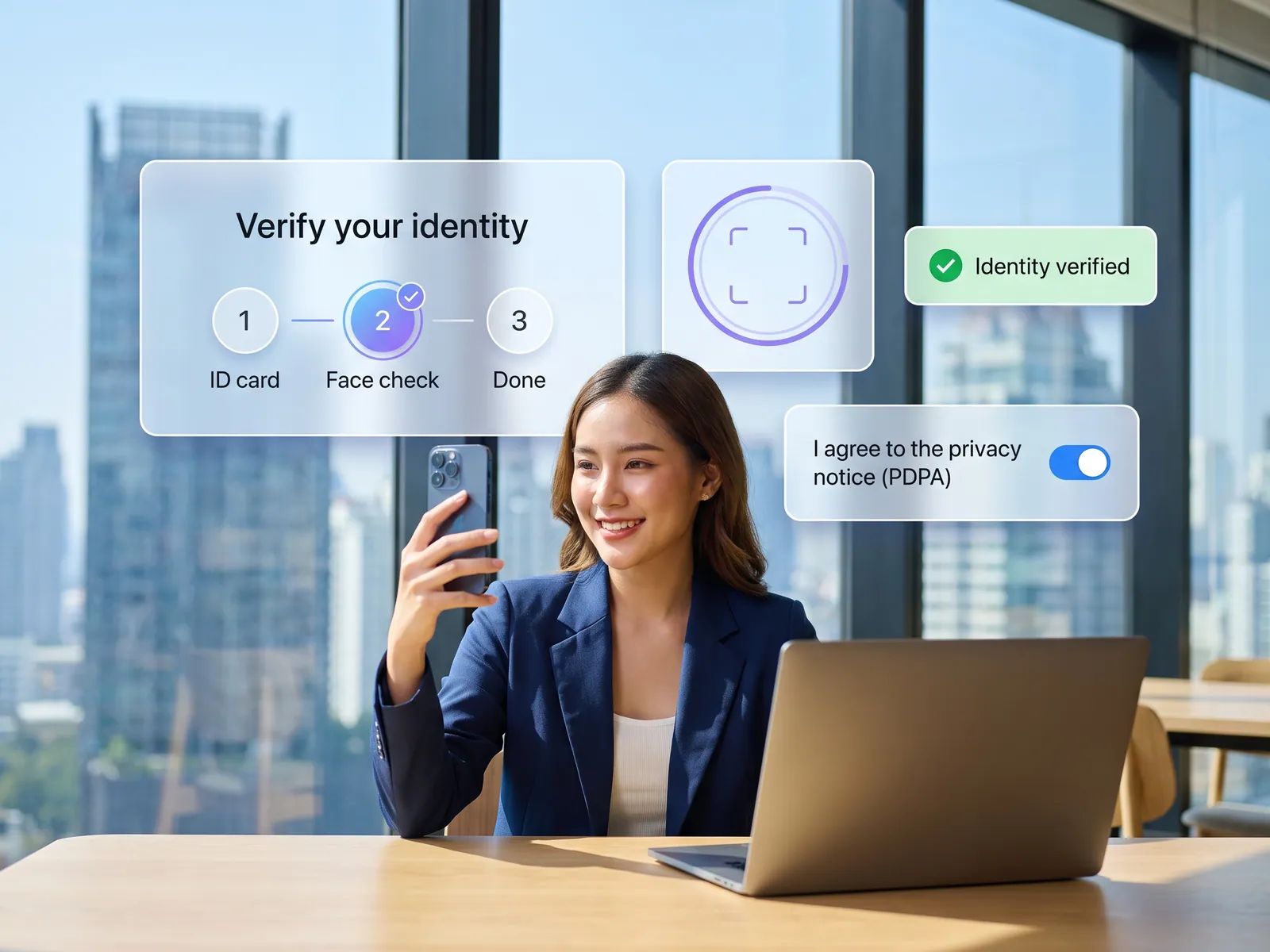
Customers verify their identity in your own app or web sign-up: a photo of the ID card, a face match against the card photo, and the account opens in your existing system.
 Businesses that must know their customer
 “Customers send a photo of their ID card and a selfie on LINE, and staff eyeball whether it’s the same person. Copies of ID cards pile up in chats and inboxes, and opening an account takes days.”
The problem
Most businesses that have to know who their customer is, from lenders and leasing companies to insurers and investment platforms, still open accounts the old way. The customer fills in a form and sends a photo of their ID card and a selfie holding it over LINE or email. Someone opens each photo, checks whether the face matches the card and types the name and ID number into the system by hand. A blurry photo means asking again, a slow reply means waiting, and one application takes days. A card photographed off a screen, or someone else’s card held up next to a similar face, can get past a person who has been looking at photos all day.
After the account is open, the copies stay behind: in chats on staff phones, in inboxes and in shared folders. Nobody can say how many copies exist, who has looked at them or when they will be deleted. A face image used to verify identity is biometric data, which the PDPA treats as sensitive and which generally needs explicit consent. When a phone goes missing, or someone leaves the company with all those chats, the business is the one held responsible.
How we solve it
We build the identity check into your own app or sign-up website. Customers photograph the front and back of their ID card with their phone, and the system reads the name, ID number, date of birth, expiry date and the laser ID on the back, then fills in the form for them to check and correct. Next they take a face capture as the screen guides them. A liveness check catches a photo, a screen or a mask held up in place of a real person, and the face is matched against the card photo. When customers come to a branch, staff put the card in a reader and take the data straight from the chip.
Which official checks you can run depends on what your business is permitted to use. Organisations authorised by the Department of Provincial Administration can check whether a card is still valid, and can send customers to verify in ThaID and come back to finish signing up in your app. Many people in Thailand already have ThaID, since the Social Security Office’s e-Self Service has accepted only ThaID logins since 2 April 2026. Financial businesses that are NDID members can let customers verify through a banking app where they have already proven their identity. At the start we check with you which of these your business qualifies for and which methods your regulator accepts.
Cases that pass every check move on under the rules you set. Anything that doesn’t match, such as a low face-match score, a name on the form that differs from the card, an expired card or a failed liveness check, goes to the review queue with the evidence side by side. The system never approves or rejects a doubtful case on its own: a member of staff chooses to approve, reject or ask for another document, and every decision records who made it, when and why. Verified data goes into your core system or CRM through its API, and credit limits or underwriting follow your existing process. Customers give consent before the card and face are captured, images are encrypted in your own systems, staff open them only in the review screen their role allows, every view is logged, and data is kept for the period the law requires, then deleted on schedule.
How it runs
Work comes in from
- Your app or sign-up website
- ID card photo or chip
- Customer’s face from the phone camera
- ThaID or NDID, where you qualify
What the AI does
- Read the card
- Check liveness and match the face
- Check card status at the official source
- Send mismatches to the review queue
Where it lands
- Staff who decide the mismatches
- Core system or CRM, where the account opens
- Status update to the customer
- Audit log and consent records
Before and after
Before
After
Customers send a card photo and a selfie on LINE, and staff check each one by eye
The system matches face to card and checks liveness; staff see only the mismatches
Card copies sit in chats and inboxes, and nobody knows how many there are or who has seen them
Card images are encrypted in one system, and every view is logged
Opening an account takes days of waiting for new photos and for someone to be free
Customers who pass every check wait for nobody, and the account opens in your existing system
What you get
- 01
A sign-up flow where customers photograph both sides of their ID card and the system reads it, or staff read the chip at a branch, then a selfie with a liveness check, matched to the card photo
- 02
Checks against official sources where your business qualifies: card status with the Department of Provincial Administration, ThaID, or NDID through the customer’s own banking app
- 03
A review queue that shows staff only the cases that don’t match, with card, face and the flagged point side by side; a person decides and the reason is logged every time
- 04
PDPA consent recorded for every customer, card and face images encrypted and kept only as long as the law requires, and an audit log of who opened whose data and when
- 05
Verified data passed to your core system, lending system or CRM through its API so the account opens there, with status updates to the customer in the app or on LINE
Who gets what
Connects to your core or CRM through its API, with nothing to re-platform. ThaID or NDID are added under each channel’s own terms, the identity assurance level (IAL) is set to what your regulator requires, data is encrypted, access follows roles and is logged, and it can run on your own servers or cloud account.
Staff stop opening card photos one by one in chat and typing ID numbers by hand, and handle only the cases the system passes to them. Customers finish signing up in the app without sending their ID card to anyone over chat.
Who this fits
Lenders & leasingInsurers & brokersSecurities & fund platformsSavings and credit cooperativesSIM sellers & telecomsRental platforms & marketplaces
Connects with what you already run
ThaIDNDIDDOPA card status checkSmart card readerCore or lending systemSalesforceLINE OA
Development process
- 1
Discover
Requirements, users and success metrics, with scope and price fixed before we start.
- 2
Design
UX and system architecture; the prototype is approved before anything is built.
- 3
Build
AI-accelerated sprints with a demo every week, reviewed by senior engineers.
- 4
Test
QA, security and performance verified against the agreed scope.
- 5
Launch & care
Production deploy, team training, and a monthly care plan.

Turn your business problem into a system that works for you
Tell us today — get an executive-ready proposal with the plan and budget.
Talk to an engineer about thisMore solutions in AI App Development
See the whole service Brands & retailers Customer app Shops with regulars Loyalty and membership app Appointment businesses Booking and queue app Field crews & couriers Field service and delivery app Management & HR Internal operations app Brands with a LINE OA LINE Mini App (LIFF) Schools & institutes School management system Tutoring schools & exam bodies Online testing platform Restaurants & cafés Restaurant POS and ordering Hotels & resorts Guest app and hotel booking Condo & estate management Resident app for juristic persons Clinics & hospitals Patient app and appointments