Applications per programme day by day, the step where applicants drop out, and fees landing in the account without chasing slips.
Back to AI Web Development
Schools & universities · 09 / 13
Admissions site and student portal
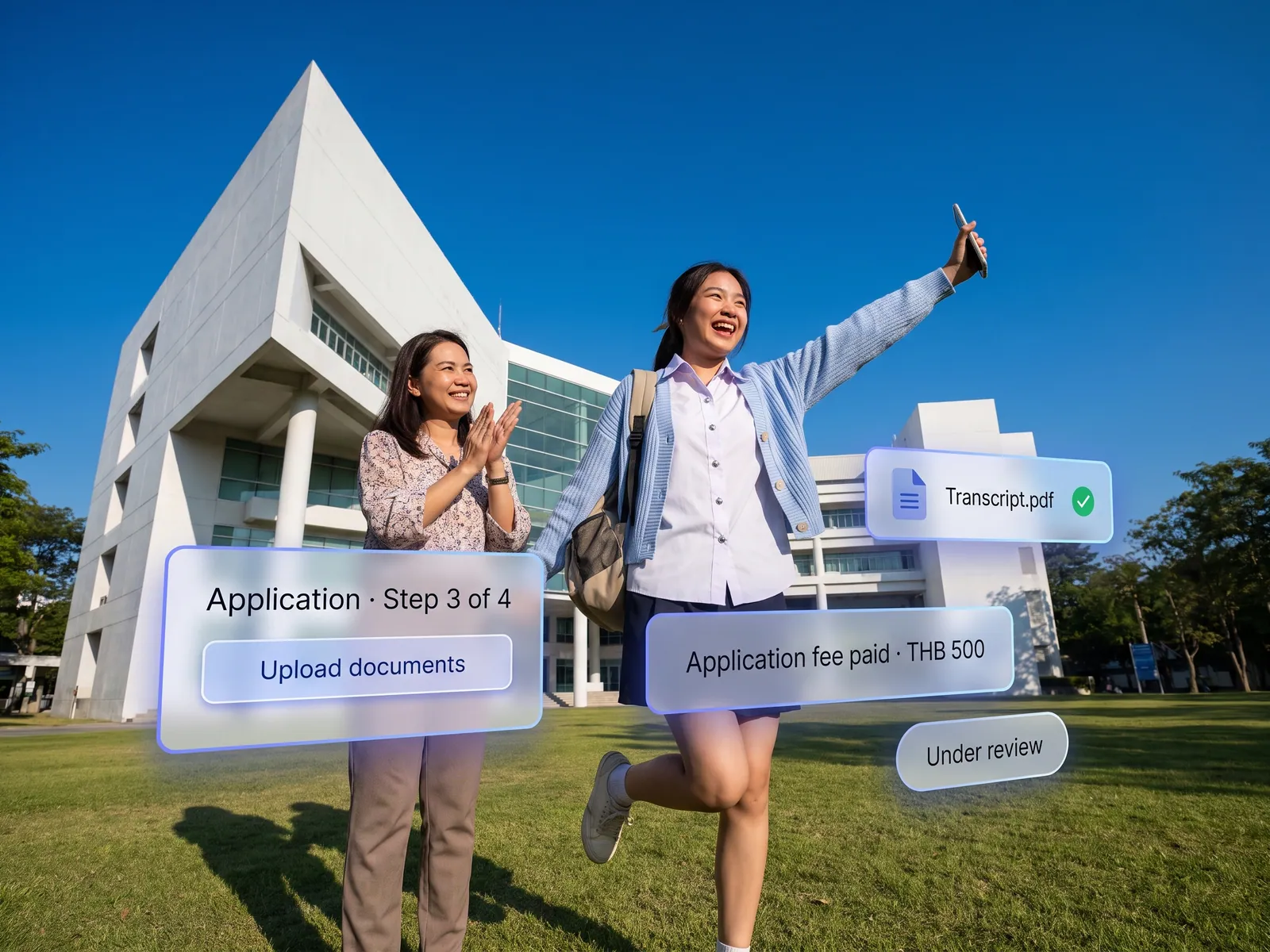
Apply online, upload documents, pay the fee and track status without calling. The registrar sees every application on one page with nothing retyped.
 Schools & universities
 “Every admissions season the registrar gets hundreds of emails and LINE messages a day. Applications arrive as PDFs to retype, and parents asking where they stand get no answer.”
The problem
Every admissions season the registrar’s office turns into a document collection point. Applications arrive as PDFs by email, ID card photos on LINE, payment slips by another route. Staff type everything into the records system by hand, then chase missing documents one applicant at a time. A parent who phones to ask where their child stands is told someone will check.
International programmes have it worse. Overseas parents meet a Thai-only site, ask in English or Chinese on LINE and wait overnight. Many apply elsewhere first, and the school never learns at which step it lost this year’s applicants.
How we solve it
We build an admissions site parents complete from a phone: fill the form, photograph the documents, pay the fee, see the status at once. The system reads the ID card and transcript, fills in name, date of birth and grades, and prompts straight away if a photo is unreadable or a document is missing. The registrar opens one page, sees every application and whether its documents are complete, and pushes checked applications into the existing records system with one click.
AI chat answers the questions asked every year, fees, exam dates, required documents, in the parent’s language, from information the school has approved, so an overseas parent gets an answer at 2 a.m. without waiting for the office to open. After enrolment the same portal becomes the place to see timetables and announcements and pay tuition.
Admission decisions, scholarships and refunds stay with the school. The system decides nothing on its own and records who approved what and when. Children’s data is stored under PDPA with the parent’s consent.
How it runs
Work comes in from
- Applications from the site and phones
- Uploaded documents
- Parents’ questions on LINE
- Fees by PromptPay
What the AI does
- Read documents and fill the form
- Check completeness and prompt
- Answer in the parent’s language
- Push checked applications to records
Where it lands
- Existing student records system
- Status parents check themselves
- Results on LINE and email
- Dashboard of daily applications
Before and after
Before
After
PDF applications by email, retyped into the system by staff
The system reads the documents and fills the form; nothing retyped
A parent phones for status and is told someone will check
Parents see the status at every step and get an alert when it changes
Overseas parents ask on LINE and wait overnight
AI chat answers in the parent’s language through the night
What you get
- 01
A multilingual online application with document upload from a phone, fee payment by PromptPay or card, and status visible at every step
- 02
The system reads uploaded ID cards, house registrations and transcripts, fills the form, and prompts the parent when a document is missing or unreadable
- 03
Approved applications sent into the existing student records system with nothing retyped, and results sent to parents on LINE and email
- 04
AI chat that answers about programmes, fees, dates and required documents from information the school approved, in the parent’s language
- 05
A student and parent portal for timetables, announcements and fees, and a dashboard of applications per programme day by day
Who gets what
Data goes into the existing records system through its API or in the file format it accepts. Login through the school’s Google Workspace or Microsoft 365. Children’s data is encrypted, every access is logged, and the flow passes PDPA.
The registrar stops retyping applications and stops chasing documents one by one, and is left with checking and clicking send.
Who this fits
International schoolsPrivate schoolsUniversities & collegesTutoring schoolsLanguage institutes
Connects with what you already run
Existing student recordsGoogle WorkspaceMicrosoft 365LINE OAOmisePromptPay
Development process
- 1
Discover
Requirements, users and success metrics, with scope and price fixed before we start.
- 2
Design
UX and system architecture; the prototype is approved before anything is built.
- 3
Build
AI-accelerated sprints with a demo every week, reviewed by senior engineers.
- 4
Test
QA, security and performance verified against the agreed scope.
- 5
Launch & care
Production deploy, team training, and a monthly care plan.

Turn your business problem into a system that works for you
Tell us today — get an executive-ready proposal with the plan and budget.
Talk to an engineer about thisMore solutions in AI Web Development
See the whole service Companies & factories Multilingual corporate website Retail & brands Online store on your own domain Hotels & resorts Booking engine on the hotel’s own site Service firms & B2B Customer portal Marketing teams & agencies Campaign & landing pages Operations & IT Internal web app Owners & marketing teams AI search visibility (GEO & AEO) Clinics & aesthetics Clinic website with online booking Real estate Project site with viewing appointments Restaurants & cafés Restaurant site with ordering and table booking Factories & wholesalers B2B catalogue and quote requests Tutoring schools & trainers Online course website