The site becomes a sales channel you can measure: which countries the leads came from each month, which searches brought them, and which rep picked each one up.
Back to AI Web Development
Companies & factories · 01 / 13
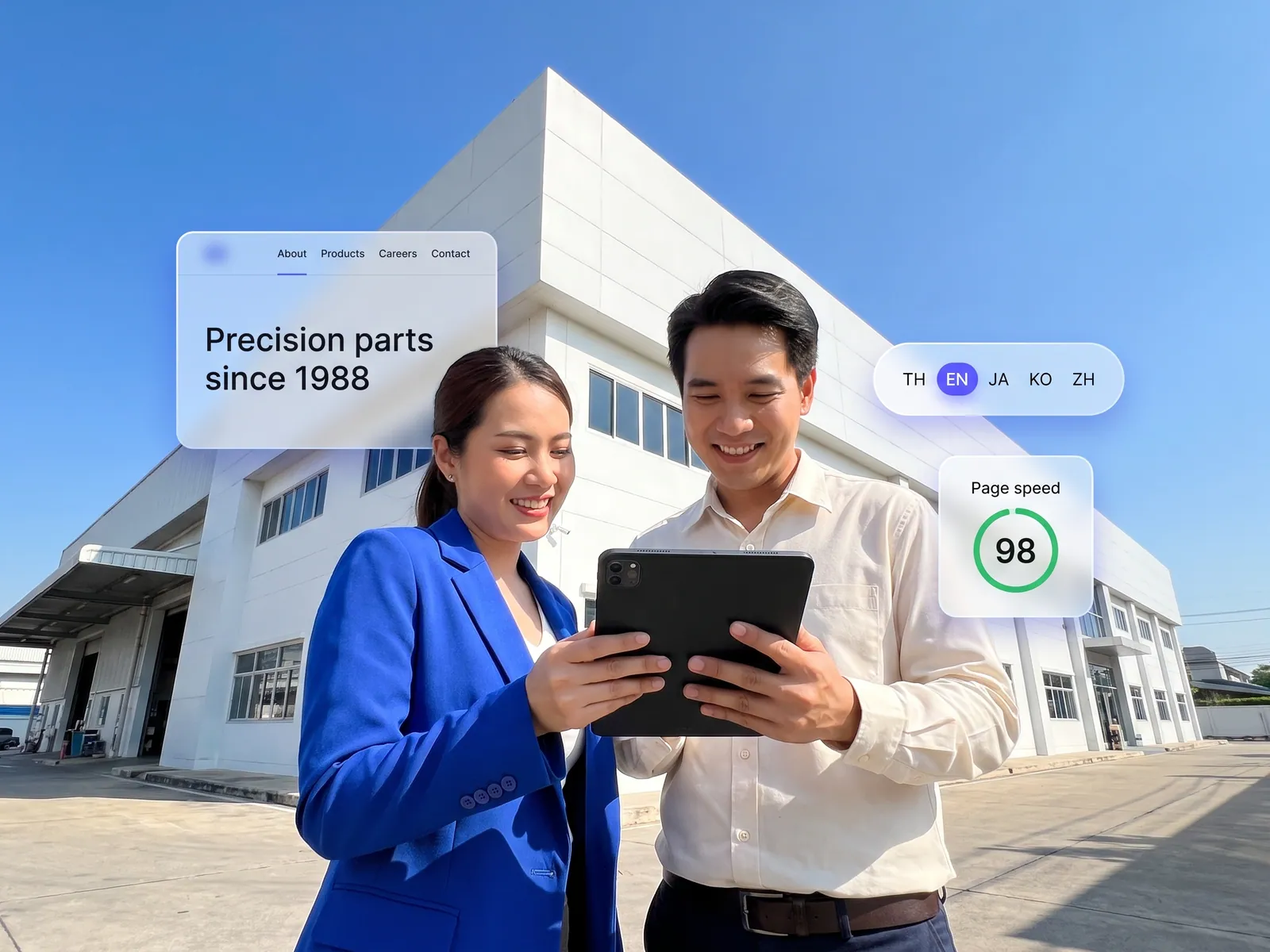
Multilingual corporate website
A company site your team edits itself, in five languages, fast on a phone, and found by Google and AI assistants from launch day.
 Companies & factories
 “The site dates from 2018, breaks on phones, and every text change waits for the web guy. Japanese and Chinese customers land on Thai-only pages, and the catalogue is a PDF from 2019 that export sales email by hand every time.”
The problem
Most company sites are built once and left alone. The person who built it has moved on, so changing the managing director’s photo or adding a product means emailing a freelancer and waiting a week. The pages are Thai only, so overseas buyers who find you on Google click in and leave. The catalogue is a PDF whose specs stopped matching the real products long ago.
So the site does no selling. Overseas leads come only from trade fairs and the sales team’s own emails, and when someone asks ChatGPT which factory in Thailand makes this kind of product, your name is missing from the answer because nothing on the site explains it clearly enough to be cited.
How we solve it
We build a new site on a CMS your team runs: add a page, swap a photo, post news, publish. The core content is written in five languages from the start, and when you add a new product in Thai the system drafts the other four languages for your team to check before publishing. The catalogue pulls names, specs and images straight from the ERP, so customers search and filter on the site without waiting for a file from sales.
AI chat on the site answers only from content you have approved, in the visitor’s language. When someone asks for a quote, the system records the name, company and products of interest in the CRM and alerts the rep who covers that country on LINE. Pricing and the reply stay with the sales rep; the system just gets the request to the right person within minutes.
Every page is structured for SEO and AEO from the wireframe stage, with complete schema, an FAQ page written so AI assistants can lift answers from it, and Core Web Vitals passed on mobile. After launch we install analytics and sit down with you each month to see which searches bring people in and which pages need work.
How it runs
Work comes in from
- Visitors from Google and AI assistants
- Overseas customers
- Product data in the ERP
- Your team in the CMS
What the AI does
- Draft the other four languages
- Answer from approved content
- Capture leads and sort by country
- Hand off to the covering rep
Where it lands
- A five-language site you edit
- Leads in the CRM
- Rep alerted on LINE
- Monthly search report
Before and after
Before
After
One line of text changed, one week waiting for the freelancer
Your team edits in the CMS and publishes on the spot
Japanese customers arrive, can’t read it, leave
Japanese pages, and AI chat that answers in Japanese
A 2019 PDF catalogue emailed by hand every time
A catalogue on the site, specs matching the ERP, searchable
What you get
- 01
A five-language site, Thai, English, Japanese, Korean and Chinese, with correct hreflang, that your team edits through a CMS without calling a developer
- 02
A product catalogue visitors can search and filter on the site, with specs and images pulled from the ERP instead of a PDF
- 03
Quote requests that go into the CRM and alert the rep who covers that country on LINE at once
- 04
AI chat on the site that answers questions about products, services and how to reach you in the visitor’s language, and captures the lead
- 05
SEO and AEO structure with complete schema, so each market’s pages rank in its own language and AI assistants can cite them
Who gets what
Read-only API access to the ERP, nothing written back. Forms and cookie consent meet PDPA. The source code and CMS are yours, and you can move hosts.
Marketing stops waiting for a developer, export sales stop re-sending the PDF, and leads arrive with the company name and the products they asked about.
Who this fits
Factories & manufacturersExportersConsultancies & law firmsHospital & clinic groupsAny company with overseas customers
Connects with what you already run
HubSpotSalesforceERPGoogle AnalyticsLINE OAWeChat
Development process
- 1
Discover
Requirements, users and success metrics, with scope and price fixed before we start.
- 2
Design
UX and system architecture; the prototype is approved before anything is built.
- 3
Build
AI-accelerated sprints with a demo every week, reviewed by senior engineers.
- 4
Test
QA, security and performance verified against the agreed scope.
- 5
Launch & care
Production deploy, team training, and a monthly care plan.

Turn your business problem into a system that works for you
Tell us today — get an executive-ready proposal with the plan and budget.
Talk to an engineer about thisMore solutions in AI Web Development
See the whole service Retail & brands Online store on your own domain Hotels & resorts Booking engine on the hotel’s own site Service firms & B2B Customer portal Marketing teams & agencies Campaign & landing pages Operations & IT Internal web app Owners & marketing teams AI search visibility (GEO & AEO) Clinics & aesthetics Clinic website with online booking Schools & universities Admissions site and student portal Real estate Project site with viewing appointments Restaurants & cafés Restaurant site with ordering and table booking Factories & wholesalers B2B catalogue and quote requests Tutoring schools & trainers Online course website