

- Automations quietly spring up across the company without anyone counting them, until one day nobody can say what is actually running.
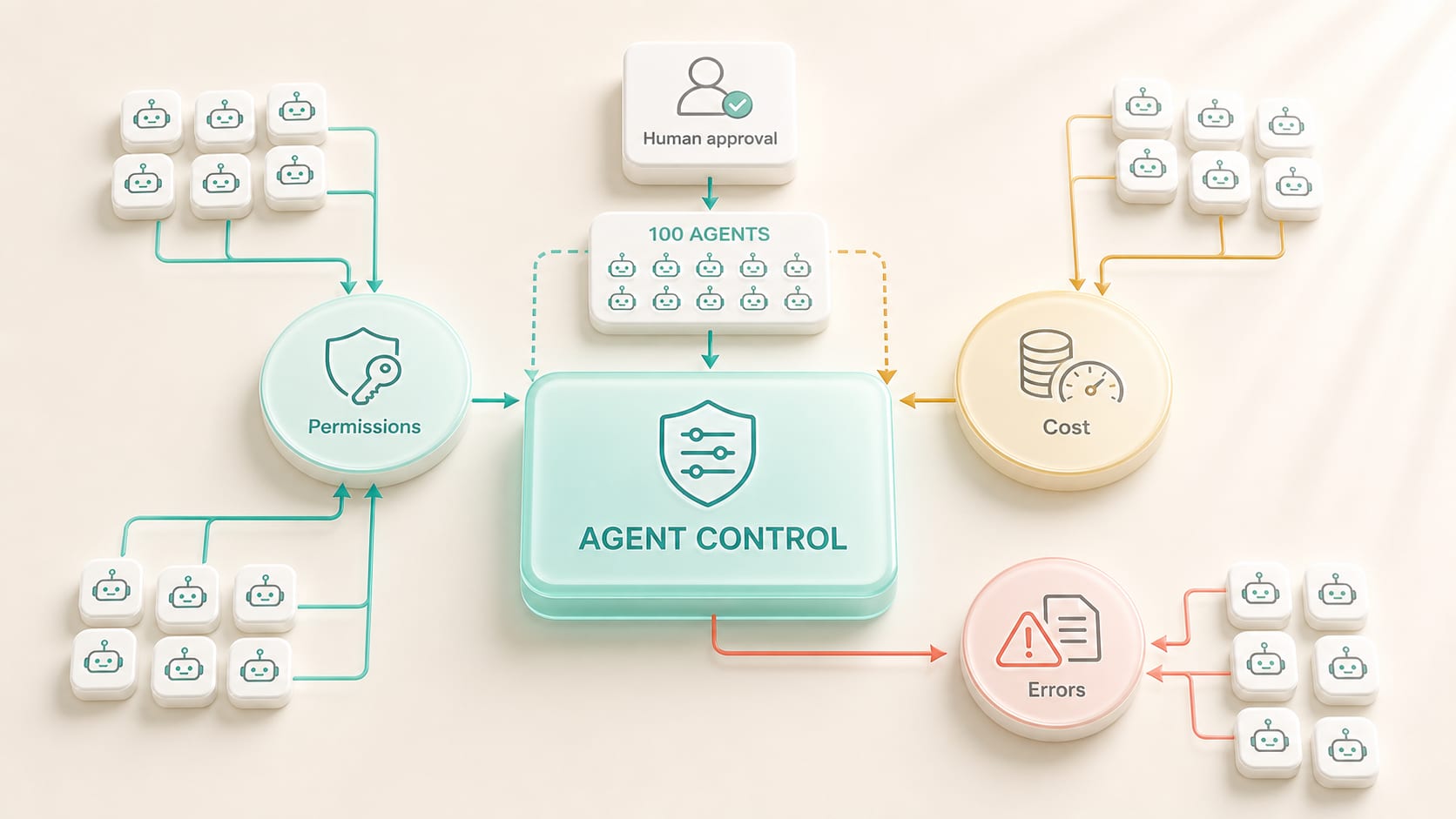
- Before you add the next one, you need a register of what exists, who looks after it, what data it uses and how much it costs.
- Every one of them should have a stop button and a backup way of working for when the system is unavailable.
1. Agent sprawl is shadow IT that can act in people's place
This has happened before, back when individual departments quietly signed up for software on their own until the company no longer knew where all its data was. This time it will happen faster, because building an automation takes less than an hour.
Older SaaS tools might store data, but an agent can call APIs, send messages, change records and keep working on its own. Without a register, the company doesn't know who built an agent, what data it uses or whether it's still needed. An agent whose sponsor has left the company may keep its credentials and its schedule and carry on running.
The risk grows when agents call other agents. A single error can spread through a workflow: a wrong data summary leads to a wrong price and a wrong message to the customer. Controls have to cover the whole chain, because checking the final output alone won't catch this.
2. Build an agent register and lifecycle
Ask yourself whether you can say right now how many automations the company has, who owns them and which ones are still in use. If you can't, that's the first job to do.
For the development team · Technical metrics
The catalog has to be searchable and linked to identity, recording the Owner, Sponsor, Version, Model, Knowledge, Tools, Environment, KPI, Cost and Dependencies. Statuses should include Draft, Testing, Approved, Suspended and Retired, with evidence of approval.
For the development team · Technical detail
Set up an intake process for teams to propose use cases, and check the existing agents before allowing a new one to be built. Use shared templates and connectors to reduce duplication. Set an expiry date: if an agent goes unused or its sponsor doesn't confirm it, the system automatically reduces its permissions or shuts it down.
| Lifecycle | Control | Evidence |
|---|---|---|
| Create | Purpose, Sponsor, Risk | Register entry and design |
| Test | Evaluation, Red Team | Test Report |
| Run | Identity, Log, Budget | Dashboard |
| Change | Version + Re-evaluate | Release Record |
| Retire | Revoke, Export, Delete | Closure Evidence |
3. Agents need an identity like employees, with more guardrails
For the development team · Technical detail
Never use shared accounts. Create a dedicated identity so you can trace which agent each action came from. Assign an accountable sponsor and grant permissions on a least privilege basis. Distinguish between agents acting on behalf of a user and autonomous agents that run with no person in the session.
For the development team · Technical detail
Use time-bound access, approvals and conditional policies. An agent reads only the data its task requires and never gets admin rights just to make integration easier. Secrets must be kept in a vault and be rotatable. When a sponsor changes jobs, ownership has to be transferred or the agent suspended automatically.
4. Set risk tiers so you control neither too much nor too little
- Tier 1 Assist: reads non-confidential data and creates drafts, with a person reviewing every time
- Tier 2 Internal Action: writes to internal systems in ways that can be reversed, with sampling and logs
- Tier 3 External/Material: contacts people, changes important data or has financial effects, so it requires approval and an SLA
- Tier 4 High Impact: hiring, credit, health, legal or safety matters, which require a full assessment and specialist involvement
For the development team · Technical detail
The risk tier determines evaluation, monitoring, approval and how often access is reviewed. Summarizing a meeting shouldn't go through as much process as approving a loan, but every tier still needs an owner and a defined set of permitted data.
5. Observability has to show what an agent thought and did
For the development team · Technical detail
Logs link the request, plan, tool calls, data sources, policy decisions, human approvals and outcome. Use a trace ID to follow work across agents. Don't keep more confidential data than necessary, and set retention according to risk.
For the development team · Technical detail
The dashboard shows success, exceptions, latency, cost, policy violations and outcomes. Raise an alert when an agent behaves in an unusual pattern, uses tools abnormally often or drifts in quality. Replay samples and test golden cases with every release.
Create an explainable receipt for important actions: what was done, when, on whose behalf, using which data and policy, and how to reverse it. This helps support, audit and user trust alike.
6. Control costs with FinOps for agents
For the development team · Technical detail
Multi-step agents may call models and tools over and over. Set budgets per task, per agent, per team and per month. Use small models for classification and extraction, and expensive models only for reasoning that really needs them. Cache data and limit loops.
Use chargeback or showback so teams can see their costs. Agents that produce no outcomes or see little use should be merged or shut down. Cost cutting should never push quality and safety below the guardrails.
7. Prepare for incidents and business continuity
For the development team · Technical detail
Define a playbook: Detect, Contain, Revoke, Rollback, Notify and Learn. Have a kill switch for each agent and tool, plus a global emergency mode. Run tabletop exercises, for example an agent sending out large amounts of wrong data, or leaked credentials.
For the development team · Technical detail
Keep a manual fallback and minimum capacity for critical workflows. Back up configuration, prompts, policies and data lineage. A vendor outage must never leave the company unable to see the status of its work. Set RTO and RPO according to impact.
8. The operating model when agents number in the hundreds
For the development team · Technical detail
Use a federated model: a central platform and security team looks after identity, policy, observability and the catalog, while domain teams own the workflows, knowledge and outcomes. Set up an AI/Agent Council for standards and high-risk cases; it shouldn't be approving every daily task.
For the development team · Technical metrics
Review the portfolio quarterly and decide whether to scale, improve, merge or retire each agent. Measure register coverage, access reviews and incidents together with business value. Build a red team or quality team that tests important agents independently of the people who built them.
In short: A hundred agents have to be managed as a workforce, with identity, sponsors, a lifecycle, risk tiers, cost control and incident control. Start your control plane while the numbers are small, because going back to fix credentials and owners after sprawl has set in is expensive. Done well, governance lets teams keep building quickly, on rails that can be audited.
Put a register and controls in place before the number of agents outgrows your control
Your IT and security teams know what level of risk the organization can accept and which data must never leave its systems. Your line managers know which work causes serious damage when it goes wrong. DNA Maker brings these two perspectives together into rules the system actually enforces, so they live in the software as well as in the policy document. We help build an agent register that records who owns each agent, what data it uses, what permissions it has, what it costs and which risk tier it belongs to, along with a lifecycle that runs from the approval request to retirement.
What you need before adding the next agent
The system that follows is a control plane that brings together the register, permissions, per-agent budgets, log collection and a screen that can answer what is running right now, who owns it and how much it has spent. We set up alerts for when costs or error rates exceed their thresholds, along with kill switches and backup plans for work that can't stop. The approach that works is to start by registering what already exists today, even if the list is incomplete. If you can't say how many agents or automations your company has right now and who looks after them, that's your signal to start.
SOFTWARE ENGINEERING GLOSSARY
Software engineering glossary
These terms relate to governing large numbers of automated systems so they stay safe.
| Term | What it is | A simple example | What executives should ask the development team |
|---|---|---|---|
| Service Account | An account that a system or agent uses to do its work, kept separate from employees' accounts | An agent accesses systems with its own account instead of sharing an employee's | Whose account does each system use, and can its access be revoked immediately? |
| Observability | The ability to know what a system is doing and why it produced a given result | Tracing back which data set this agent pulled before it gave a wrong answer | When a problem occurs, how long does it take us to find the cause? |
| FinOps | Managing system costs so they are visible and controllable by department or by job | Setting a monthly budget for each agent and alerting when it gets close to the limit | What does one run cost, and who is accountable for it? |
| Risk Tier | Classifying the risk level of work to decide how much control it needs | Work that reaches customers is rated higher than internal summaries | What criteria do we use to rate risk, and who approves the highest tier? |
| Decommission | Retiring a system that is no longer used in an orderly way, keeping the data and revoking access | Shutting down an agent nobody uses and keeping its logs as policy requires | Who decides to shut it down, and how is the remaining data handled? |