
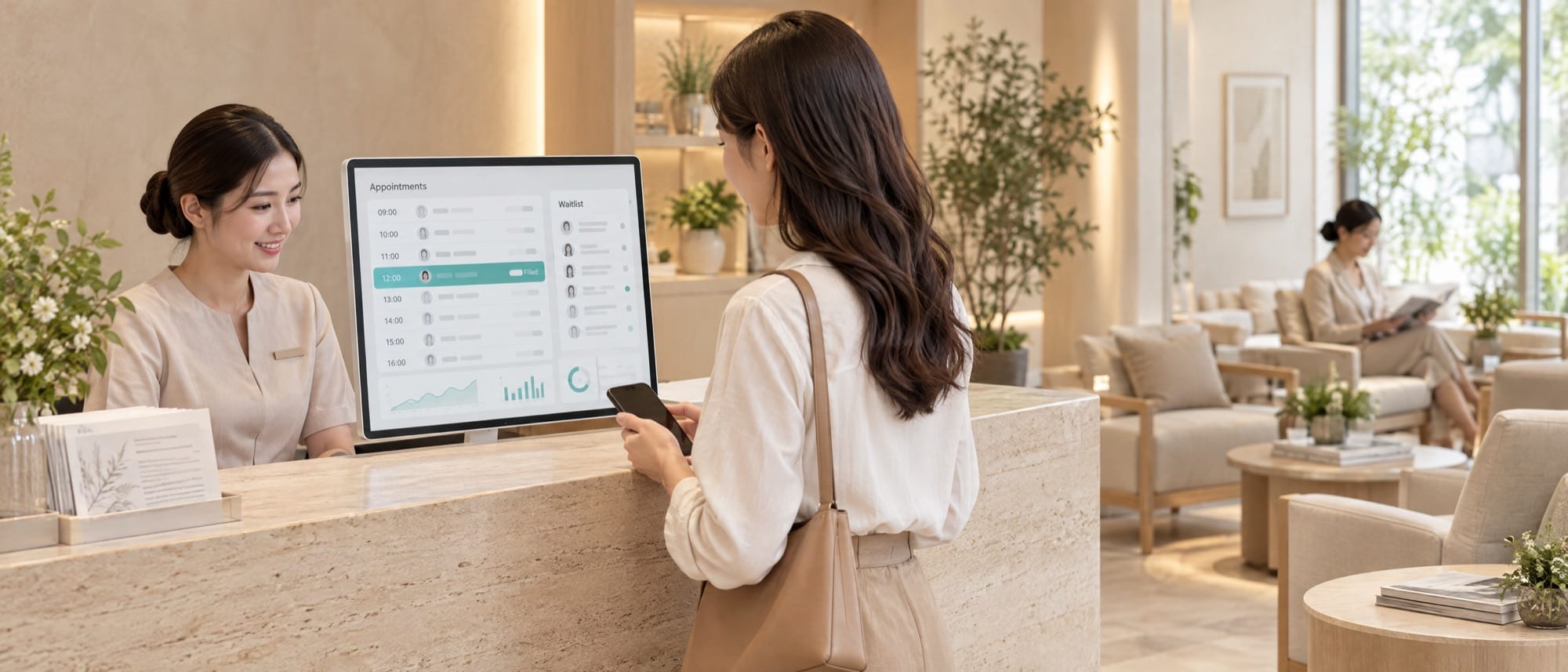
- Make rescheduling easier than going quiet. A reminder with confirm and reschedule buttons does this in one tap.
- Take deposits only on slots that hurt to lose, such as long services, peak times or customers who have missed before, and write a cancellation rule short enough to read in one line.
- A cancelled slot should reach the people on the waitlist at once, without waiting for staff to find time to phone around.
- Count no-shows every week with the same formula, and change one thing at a time. You'll learn which method works for your shop.
One empty slot costs more than it looks
Picture a dental chair sitting empty for ninety minutes. The dentist and assistant are at work, the instruments are ready, and yesterday someone phoned asking for that time and was told it was full. A no-show costs twice: time you can't sell again, and another customer who didn't get the slot.
The problem has three faces, and each needs a different fix. Customers who never turn up and never tell you call for reminders and deposits. Customers who cancel so late you can't find a replacement call for a waitlist and a clear rule. Customers who arrive so late that the rest of the afternoon slides call for a message a few hours before and some slack in the schedule. If you don't take online bookings yet, read the options for an online booking system first.
Reminders with buttons, answered in one tap
A good appointment reminder system makes it as easy as possible for customers to say "I can't make it." People who have to phone the shop during opening hours to reschedule tend to put the call off until the appointment has passed.
Shops commonly use three rounds. A confirmation right after booking, with the date, time, staff member's name and the cancellation rule. A message the day before with confirm and reschedule buttons. And a message a few hours before, for services where lateness pushes back the next booking. Shops that book weeks ahead may add one more round a week before.
Send it where customers actually read. LINE for people who already message the shop on LINE, push notifications for people who use the shop's app, and SMS for people who don't use LINE. Shops that take bookings through LINE OA have an edge, because the reminder sits in the same chat where the customer booked. A LINE OA booking system that sends reminders in the chat closes the loop on one screen. The customer taps reschedule, picks a new time, and the old slot opens for someone else straight away.
Customers who don't reply at all are the list staff should phone, so reminder calls shrink to the people who haven't confirmed. A clinic appointment system shouldn't put the procedure or symptoms in the reminder, because health data is sensitive data under PDPA and messages show on a locked phone screen. The clinic's name, branch, date and time are enough.
PromptPay deposits, on the bookings that need them
A deposit gives a booking weight in the customer's mind. Take one on every booking, though, and regulars who always arrive on time will feel the shop doesn't trust them.
Bookings worth a deposit tend to be long or need things prepared ahead, fall in busy periods, or belong to new customers or to customers who have missed before without notice. That last group comes straight from the repeat no-show report, so there's no guessing.
Let customers scan and pay with PromptPay as part of booking. If the money comes through a payment gateway, the system sees the payment result itself and confirms the booking at once, so staff don't sit matching slips one by one. The shop sets the deposit as an amount or a percentage. For refunds, the system prepares the amount and the reason, and the money goes out once a manager approves. In a clinic, the refund policy and its exceptions, such as a patient falling ill suddenly, are decisions for the clinic's management and doctors. The software helps every branch apply that rule the same way every time.
A cancellation rule you can read in one line
A rule customers never read does nothing, and a rule each staff member applies differently turns into arguments at the counter.
Keep it short enough to fit in the confirmation message, for example "Free to reschedule or cancel up to 24 hours before. After that, the deposit becomes credit for your next visit." The number of hours depends on how long the shop needs to find a replacement. After a customer's first no-show without notice, send a message asking if they'd like to rebook. If it happens again, their next booking needs a deposit. Show the same rule in three places, at booking, in the reminder and on the staff screen, and let the manager grant exceptions with a recorded reason. When a patient cancels because they're ill, apply the policy set by the clinic's doctors or management.
A waitlist that refills slots without anyone phoning around
Cancelled slots go to waste because nobody knows they're free. A Friday evening slot that fills every week usually has someone who wants it. There's just no way to tell them in time.
Customers join the waitlist with the day and time they want. When someone cancels, the system offers the slot to people on the list in the order the shop sets, and the first to accept gets it. Give each offer an expiry, say thirty minutes, before it passes to the next person, and stop offering when the appointment is too close for anyone to get ready. A barber or a badminton court with walk-in customers can add digital queue tickets. Customers scan a QR code at the shop, get a queue number and see how many people are ahead of them.
Four layers against lost bookings: remind, secure, refill, measure
To reduce no-shows, use the four methods above as layers. Add one layer at a time and look at the numbers before adding the next. Before the first layer, count no-shows over the past two to four weeks as your starting point.
Remind, secure, refill, measure
- Remind. Start with reminders that have buttons. They cost little, and no customer feels punished.
- Secure. If after two or three weeks no-shows still cluster around the same services or times, turn on deposits for that group only.
- Refill. Open a waitlist once advance cancellations start rising, which often follows the reschedule button, because people who used to go quiet start telling you ahead.
- Measure. Look at the same numbers every Monday morning and change one thing at a time. Change two at once and you won't know which one worked.
Measure no-shows every Monday morning with three numbers
A number you can make decisions on has to be worked out the same way every week. Change the definition midway and the chart no longer compares.
- No-show rate: bookings missed without notice, divided by bookings due that week.
- Late-cancellation rate: bookings cancelled after the cutoff in your rule, divided by all bookings.
- Refill rate: cancelled bookings that someone else took, divided by all cancelled bookings.
Break them down by time slot, service, staff member and branch. The shop-wide figure often hides a problem concentrated in one slot, such as Monday mornings. Use the list of repeat no-show customers to talk with them before setting rules. Some may simply need a different kind of appointment time.
For the development team · Events to record, and where things usually break
Record every change in an appointment's status as an event with a timestamp: created, reminder sent, confirmed, rescheduled, cancelled (with how many hours before the appointment), checked in, and no-show. Define no-show clearly, for example no check-in within fifteen minutes of the start time and no notice, and have staff confirm it before it counts. Schedule messages in the shop's time zone, with quiet hours at night.
The waitlist must stop two people claiming the same slot. Use a row-level lock or a conditional update. Deposit results arrive through a webhook that may be sent more than once, so the handler needs idempotency: receive it twice, record it once. Buttons in messages should use tokens that expire, so an old link can't move the appointment.
Hypothetical case
A two-branch dental clinic in Khon Kaen (name and numbers invented) had about 160 appointments a week. Looking back over three weeks, the manager found an average of 18 no-shows a week without notice, mostly scaling appointments booked more than a month ahead, plus Monday morning appointments. The first layer was a LINE OA reminder the day before, with confirm and reschedule buttons, giving only the clinic name, branch and time. For older patients who didn't use LINE, staff phoned only those who hadn't confirmed.
Three weeks later no-shows were down to 11 a week, but advance cancellations rose. The clinic opened a waitlist and refilled about half of the cancelled slots. The dentists and the manager agreed to take deposits only on treatments that use the chair for more than an hour, with the patient's own dentist deciding exceptions. After eight weeks, no-shows settled at around 7 a week. What remained was bookings made far ahead, so the clinic limited scaling bookings to six weeks ahead and sent an invitation to book when each patient was due.
Remind too often, charge the wrong people, and customers leave
Every method above has a point where it becomes too much, and past that point you lose more bookings, not fewer.
Reminders that come too often get the shop's LINE OA blocked, and after that none of your messages reach the customer. Two or three messages per appointment is enough. Deposits taken from regulars without looking at their history make people who are always on time feel they're paying for others. A rule that's written down but never applied teaches customers fast that they can ignore it. If customers wait so long at the shop that they don't want to come back, no reminder will help, and the fix is a less crowded schedule. And don't aim for zero no-shows. A shop where nobody ever cancels may be a shop where rescheduling is too hard.
If you decide to build the shop's own system, the steps from idea to launch are in hiring an app developer in 7 steps.
Your shop's rules, in a system that reminds and refills for you
Which bookings need a deposit, how late a cancellation has to be to lose it, and who gets an exception are questions for the owner, the manager and the front desk, and in a clinic, for the doctors caring for patients. DNA Maker starts by listening to these people and reading the shop's no-show numbers. Then we write a workflow that shows every status an appointment can have, the rules for each status, and the points where a person must approve, such as a deposit refund.
Our team in Bangkok designs and builds the whole system ourselves, with no subcontracting. A booking system that sends reminders, takes deposits and refills empty slots reminds customers by LINE, push notification or SMS at times the shop sets, with confirm or reschedule buttons. It takes deposits by PromptPay or card through a payment gateway, so card numbers never pass through the system. It offers cancelled slots to the waitlist in order, and uses AI to read booking history and send an extra reminder only on at-risk bookings. The owner gets a no-show report every week. This work sits within our app development service. If you have last month's no-show numbers, bring them to a conversation with us, and we'll help you see which layer to start with.
SOFTWARE ENGINEERING GLOSSARY
Software engineering glossary
| Term | What it is | A simple example | What executives should ask the development team |
|---|---|---|---|
| Baseline | The starting number before you change anything | Average no-shows over the three weeks before reminders were turned on | Does the baseline use the same definition we'll measure with? |
| Payment Gateway | A provider that takes PromptPay or card payments for the shop and reports the result back | A customer scans to pay a deposit, and the system confirms the booking when the money arrives | Do our customers' card numbers pass through our system? |
| Webhook | A message one system sends another the moment something happens | The payment gateway reports that the deposit has arrived | If this message never arrives, who follows it up? |
| Idempotency | Designing a command so that receiving it twice has the effect of receiving it once | The payment result arrives twice, but the deposit is recorded once | Have we tested the duplicate notification case? |
| Human Approval | A point where the system prepares the work, but a person must approve before it happens | The system prepares a deposit refund, and the money goes back once the manager approves | Which tasks must the system never do without approval? |