

- A “twice as fast” claim that only counts drafting time is usually false, because the time saved reappears later as rework.
- Measure from the moment the work comes in until the customer receives it, and count work that has to be redone as a cost too.
- What works is doing the job in two passes, the first to find ideas and the second to check accuracy, instead of rushing out the first draft.
Define “twice as fast” in business terms
If an employee finishes a draft in 15 minutes instead of 60 but then needs three more rounds of corrections because the data was wrong, the job hasn't become any faster. The clock should run from the moment the work comes in until the customer has the result, and the time spent typing is only one part of that.
Many teams feel AI is very fast because it produces text in a few seconds. Afterwards, though, they may lose time checking facts, fixing the tone, hunting for the right file or going through several rounds of approval. If you measure only drafting time, the company sees a win that doesn't exist. Measure lead time from the moment a request arrives until the recipient accepts the result, including waiting time, corrections and work that gets sent back.
Start by defining the unit of work clearly, such as “an approved quotation,” “a report a manager can make a decision from” or “a customer reply that closes the case.” Then collect a baseline of at least 20 to 30 jobs, split into easy, medium and hard cases, because AI is usually good at standard cases but doesn't cut the time spent on exceptions by the same proportion.
Find where the time goes
For the development team · Technical detail
Map the timeline of one job and split it into touch time (when a person is working on it), machine time (when the system is working), wait time (waiting for data or approval) and rework time (going back to fix things). AI is well suited to reducing touch time and can reduce wait time if systems are connected, but it will increase rework time if there is no brief and no quality gate.
Design a five-stage work line: Frame, Gather, Create, Check, Act
Think of a single job as a conveyor belt that runs from understanding the brief to finding information, doing the work, checking it and delivering it. AI helps a great deal at some stages and not at all at others. Knowing which stage is which is what actually makes you faster.
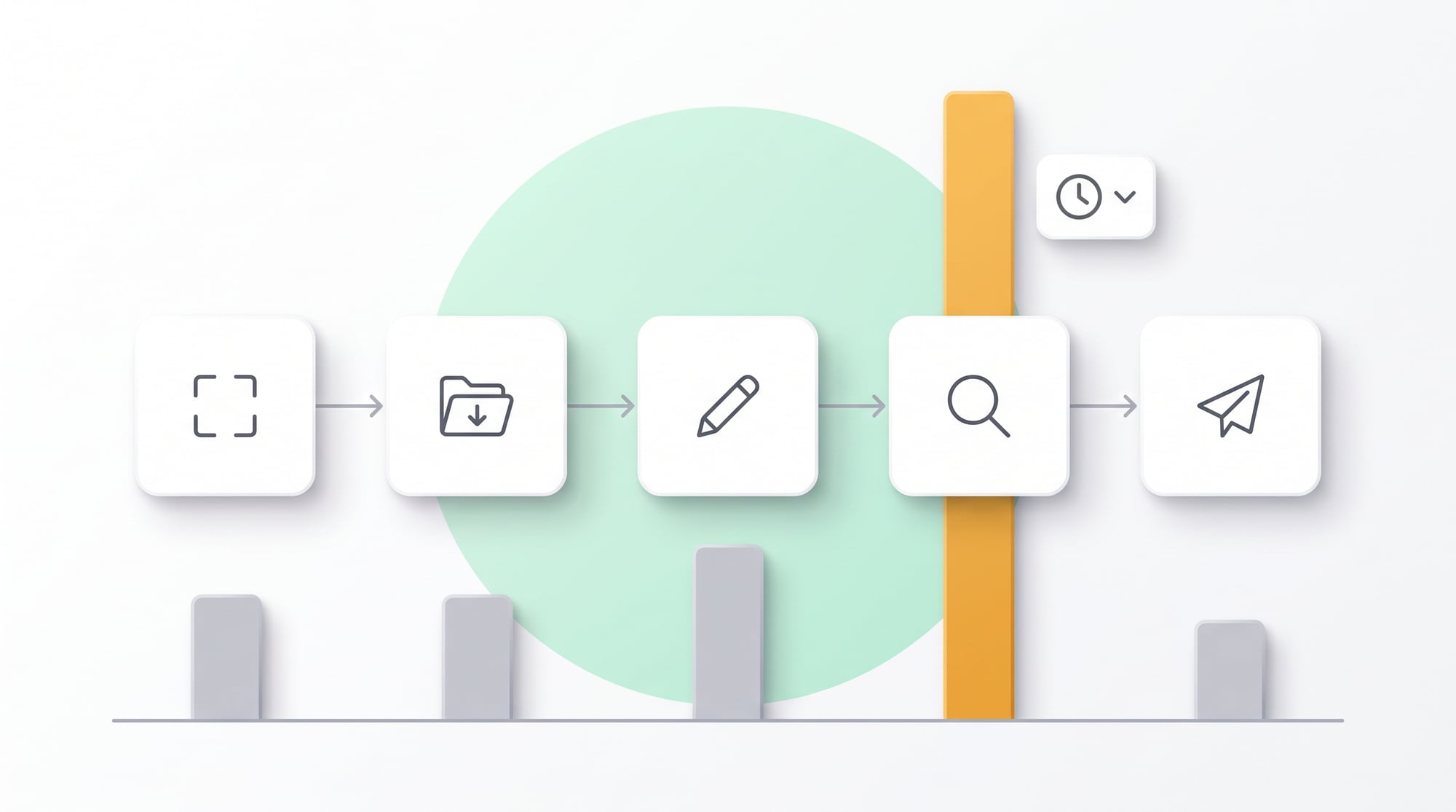
Frame narrows the problem and sets out the recipient, the goal, the scope and the Definition of Done. Gather pulls data from trusted sources. Create has AI summarize, generate options or draft. Check reviews the work against rules, evidence and the person with authority. Act sends it, updates the system or opens the next task. With five stages, you can see exactly where a problem occurs, instead of falling back on the blanket complaint that “the AI gave a bad answer.”
| Stage | What AI can do | What people are still responsible for |
|---|---|---|
| Frame | Ask questions to fill in the brief | Set the real intent and constraints |
| Gather | Search, retrieve and organize data | Choose the sources and the permissions |
| Create | Draft, summarize, compare | Choose the approach and the trade-offs |
| Check | Check completeness and format | Verify facts, figures and policy |
| Act | Create tasks or update systems | Approve anything with significant impact |
A brief that cuts down on revisions
A brief should answer seven questions: what result is needed, who will use it, what they already know, where the inputs come from, what is off-limits, what format the deliverable takes, and what the pass criteria are. Add one good example and one example that failed. That clarity does far more than piling adjectives into the prompt.
Don't let AI guess important information. If the sources are incomplete, tell it to “stop and ask for the data.” If the numbers must be exact, use formulas or a calculation system outside the model. If a policy must be cited, attach its version and date. When these constraints are built into the workflow, safety no longer depends on each user remembering them.
Four quality gates
- Fact: every important claim has a source or someone who confirms it
- Number: figures can be recalculated with rules
- Policy: the content matches policy and permissions
- Audience: the recipient understands it and knows what to do next
Examples of going faster without pushing the burden downstream
Sales: Meeting-to-Proposal
For the development team · Technical detail
Before a meeting, the system pulls customer data, contact history and relevant news into a brief, keeping facts separate from assumptions. After the meeting, AI turns the notes into pain points, decision criteria and next steps. The salesperson chooses the offer and the terms, and the system then drafts the document from an approved template. A quality gate checks prices, scope and commitments before anything is sent. The goal is a proposal that passes on the first round; the number of proposals drafted is beside the point.
Operations: Ticket-to-Resolution
AI reads the ticket, categorizes it, pulls up its history and suggests diagnostic steps from the knowledge base. If confidence is low or risky wording appears, the system sends it straight to a senior team member. Standard cases get answered faster, while specialists see only the exceptions, with the context attached. The team gains capacity without giving up safety. Measure time to close, first-contact resolution and the number of reopened cases.
Managers: Data-to-Decision
Instead of having AI write a report from scratch, let the system pull KPIs with fixed definitions, point out what has changed and generate questions. The manager checks the causes on the ground, makes the decision and records the assumptions. In the next cycle, the system compares actual results with what was expected. This cuts formatting time and leaves more time for thinking, without handing decisions over to the model.
When you run a trial, randomly assign AI-assisted and conventional work over the same period, to rule out effects from the season, workload or differences in individual skill. Measure the median for typical work and the P90 for slow cases, because customers notice the long tail more than the average.
Turn individual success into a team standard
For the development team · Technical detail
Top performers often build personal prompts that nobody else understands. When they leave, the efficiency leaves with them. Turn what has been proven into a Workflow Card that specifies the trigger, inputs, prompt or template, review steps, owner, version, and examples that passed and failed. Keep the cards in one place and review them whenever data, policy or tools change.
A dashboard that doesn't let you fool yourself
| Metric | How it should improve | Warning sign |
|---|---|---|
| End-to-end Lead Time | Falls for the job as a whole | Only the drafting gets faster |
| Right-first-time | More work passes on the first round | More revision rounds |
| Cost per Accepted Output | Falls even after review costs are included | Low API costs but heavy review labor |
| Exception Rate | Stays flat or falls | The system only takes on easy work |
| Customer/Receiver Outcome | Faster responses and higher satisfaction | Lots of output that nobody uses |
Set stop rules in advance. For example, if errors stay above the threshold for two weeks, go back to draft-only mode. If review takes more time than it saves, fix the brief or stop the use case. If the team doesn't use it, check whether the problem is UX, trust, a poor fit with the real work or conflicting KPIs. Don't try to fix everything with more training.
Doubling your speed may not come from AI alone. Sometimes cutting reports nobody reads, reducing the number of approvers or getting central data right has a bigger effect than AI. The companies that benefit most treat AI as part of redesigning the work, instead of an extra layer stuck on top of the old process.
TECHNIQUE · FAST WITHOUT CUTTING CORNERS
Use a two-pass approach: go wide in the first pass, get precise in the second
Don't try to get AI to produce the final answer in one go. In the first pass, have it break the problem down, point out missing information and propose 3 approaches. A person chooses the direction and fills in the facts. Only then, in the second pass, does it build the deliverable from a template, with a checklist. It looks like an extra step, but it cuts downstream revisions considerably, especially for proposals, reports and content that has to go through several departments.
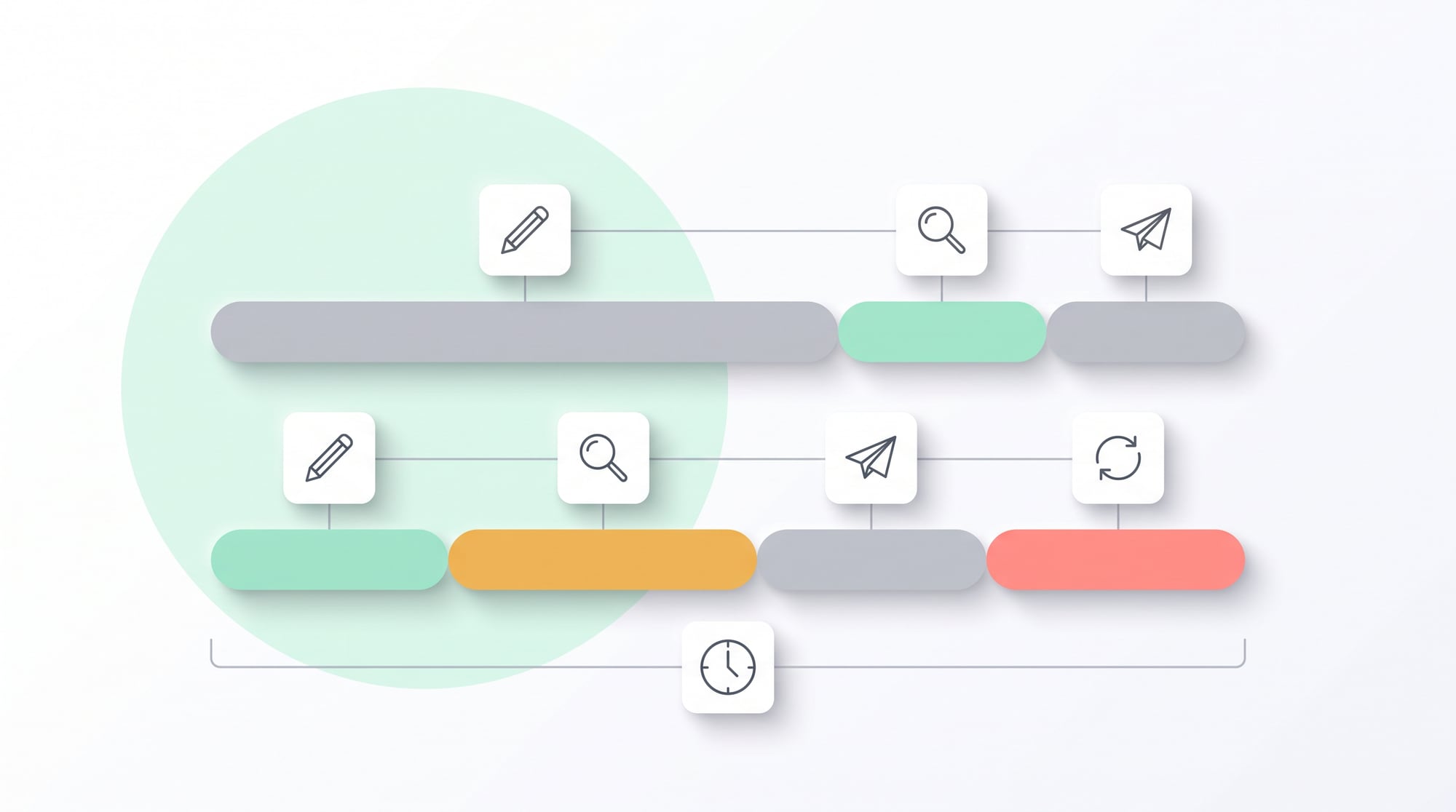
The 20-60-20 rule
Spend 20% of the time on the brief, 60% on AI and people producing the work together, and the remaining 20% on checking it and tailoring it to the recipient. If checking keeps running above 20%, the input, the template or the scope of the work still has a problem. Don't fix it by pushing the reviewers to go faster.
Tip: Name templates after their output, such as “Proposal-SME-v3,” instead of something like “latest really good prompt,” and keep the examples that failed as well, because a wrong example marks the boundaries more clearly than a long explanation.
From knowledge to a system that solves the problem in practice
The core of the problem
Real speed comes from fixing the whole path, instead of hurrying the drafting step and leaving the checking to the next person.
A step-by-step approach
- Measure touch, wait and rework time on at least 20 real cases
- Design a Frame, Gather, Create, Check, Act workflow with quality gates
- Trial it with a small group and measure accepted output, P90, errors and cost per piece
Turn your best people's tricks into a workflow the whole team can use
When a team tells us AI has made them faster, we want to know where exactly they got faster, and who has to carry extra load at the next step. So DNA Maker starts by following real work from the moment a request comes in until the recipient accepts the result, separating working time, waiting time and rework time. Then we sit down with the owners of the work to define the brief, the quality gates and the exceptions. The knowledge used to judge whether work is “good enough” still comes from the client's team. Our part is to arrange that knowledge into a process that is visible and measurable, so personal prompts aren't lost and mistakes aren't pushed onto the reviewer at the end of the line.
Once the problem is clear, DNA Maker can design an AI Work Assistant as a web or mobile application that takes in a brief, pulls data from existing systems, drafts the work, checks it against the rules, sends it for approval and keeps an audit log, all in one flow. An AI Agent can help gather context or carry out multi-step work, while people keep the authority to decide at the key points. We can help across the whole job, from product design, integration, development, evaluation and monitoring to using AI Autonomous Development to speed up building and testing under engineers' review. If your team does one type of work over and over every day, bring us the real flow and let's talk it through. We'll help you see which parts should be cut, which should be automated and which should stay with people.
SOFTWARE ENGINEERING GLOSSARY
Software engineering glossary
This table isn't meant to be memorized. It helps executives, process owners and the development team talk to each other without reading the same words differently. Read the meaning, the example and the question on the right, because these questions often bring hidden scope, risks and costs to light before development starts.
| Term | What it is | A simple example | What to ask the development team |
|---|---|---|---|
| API | A standard channel that lets systems exchange data | Pulling customer data from the CRM into a brief | Which systems can we connect to, and are there limits on permissions or data volume? |
| Quality Gate | A checkpoint that must be passed before work moves on | Checking prices and sources before a proposal goes out | Are the pass criteria measured by rules or by experts, and how is the evidence recorded? |
| Human-in-the-loop | Having a person review or decide at key points | AI drafts, but the account owner is the one who presses send | Do people need to check every case, or only the risky ones? |
| Automation | Having a system carry out repetitive steps according to set conditions | Creating tasks after a meeting without retyping anything | If the system gets something wrong, how does it stop, roll back and alert someone, and whom? |
| Audit Log | A record of who or what did what, and when | Tracing which version of the data a proposal used | How far back do we need to be able to trace events? |